
September and October 2026
Four new Data Exporter reports, smoother billing and Xero, more control over how leave is booked and approved, and a monthly cash flow forecast for every project.
Released
Here’s what’s new since the August 2026 update.
Project cash flow and milestone billing
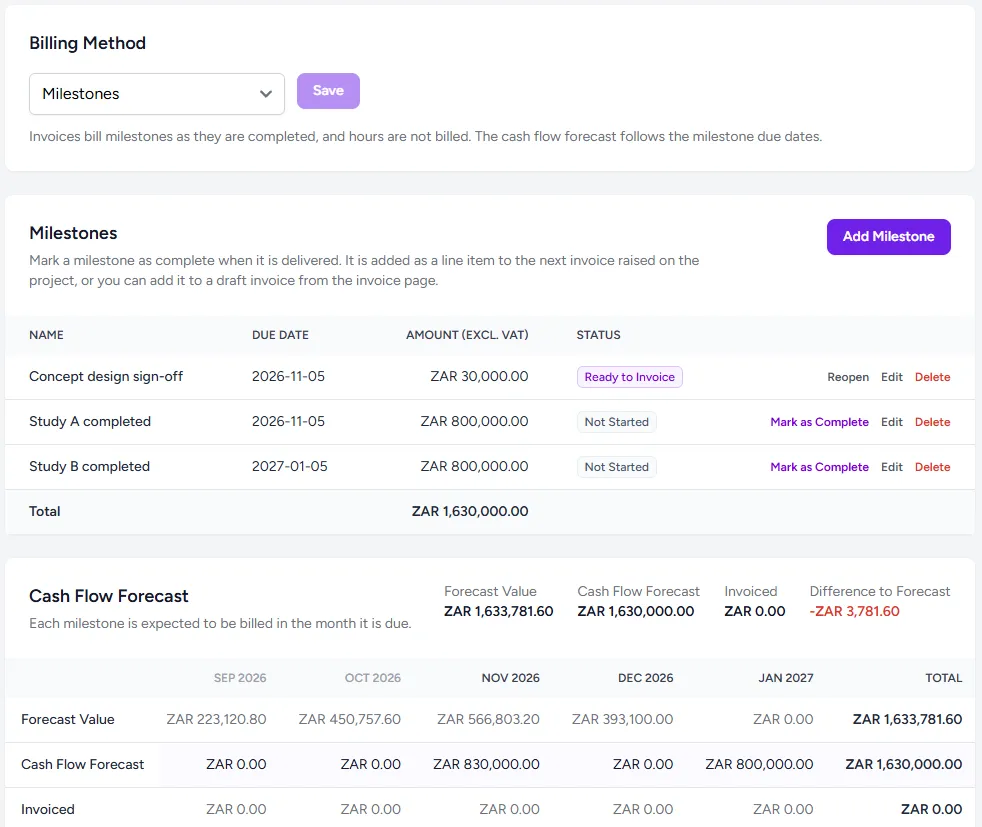
Projects now have a Cash Flow tab, where you can set the project’s billing method to Time and Materials or Milestones and see a monthly cash flow forecast. For milestone projects, add each milestone with its amount and due date, and mark it complete when the work is done. Completed milestones are added to the next invoice automatically, so nothing is missed at billing time. See project cash flow and milestone billing for how milestones are billed and the forecast is worked out.
Improved Xero invoice preparation
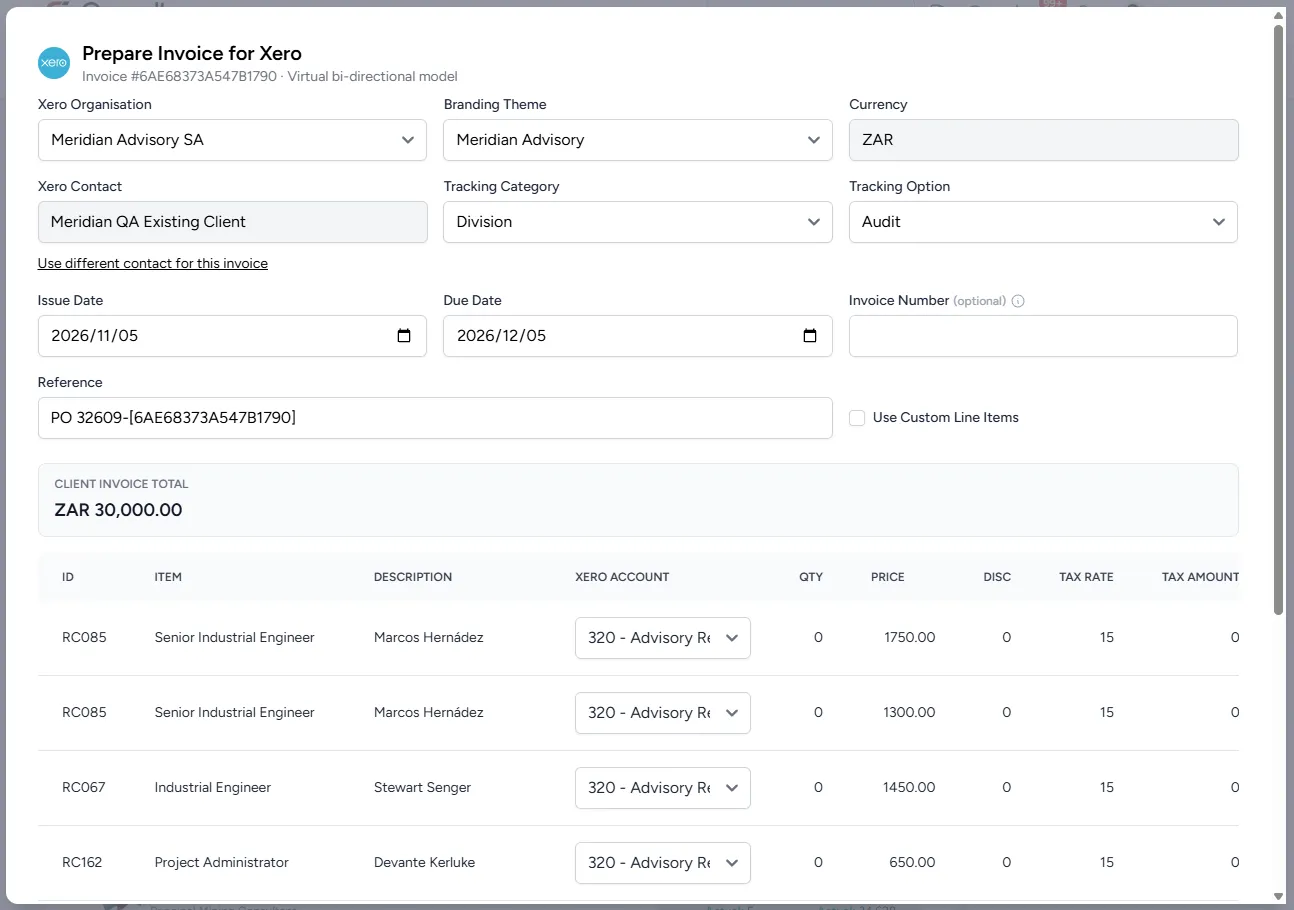
Preparing an invoice for Xero is now quicker, with saved settings, contact and account selections, and the option to add custom invoice lines. You can preview the invoice lines and totals before sending them to Xero, and invoices still in draft in Xero can be updated from Consult after export. See prepare and export an invoice to Xero and update an exported Xero draft for each step.
New Data Exporter reports
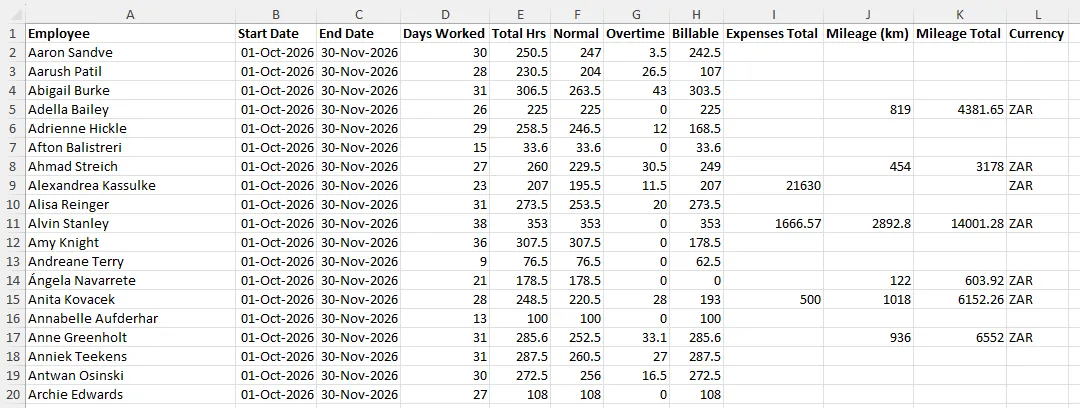
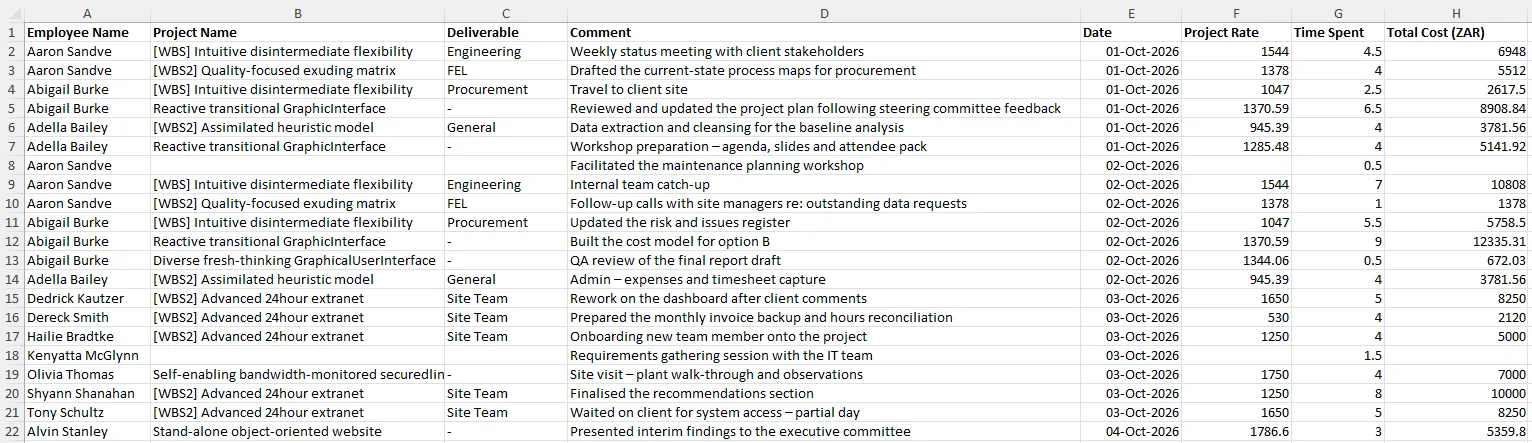
Four new reports are available in the Data Exporter, under Tools > Data Exporter:
- Employee Hours and Expenses Summary: One row per employee, with days worked, normal, overtime and billable hours, and expense and mileage totals for a period.
- All Timesheet Entries: Every timesheet line captured across all projects in a period, priced at the rate each week was booked at.
- Expense and Mileage Entries: Every expense item and mileage claim in a period, one row each.
- Project Resource Allocations: Every project resource with its rate and its baseline, forecast, actual and invoiced hours up to a chosen date.
Only users whose role includes Set Admin Settings, such as administrators, can open the Data Exporter and run these reports.
See use the data exporter for each report’s options and columns.
Custom fields on clients and users
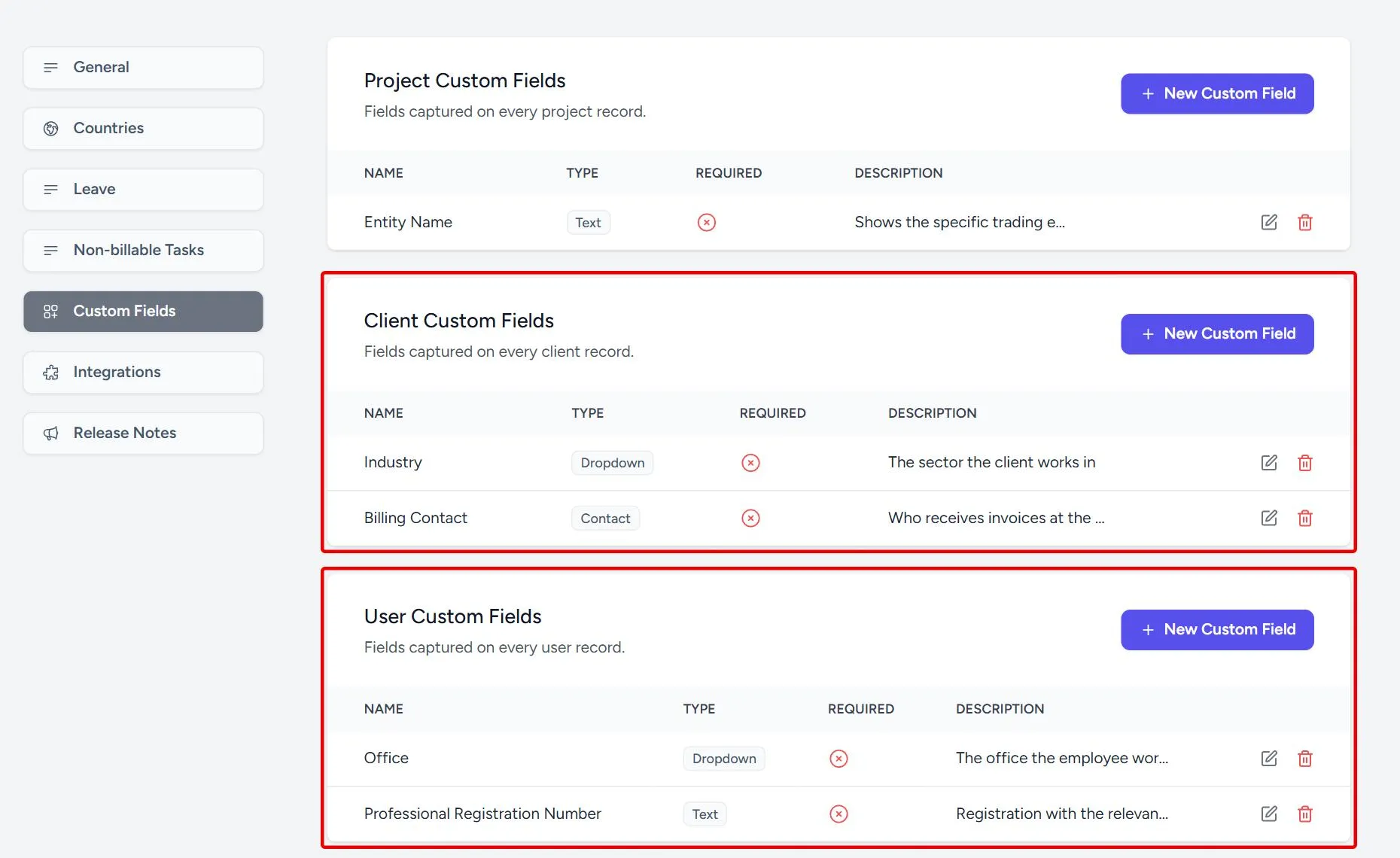
Custom fields are no longer limited to projects. You can now add your own fields to client and user records, including dropdowns and, for clients, contact details. These fields are also included in the client and user exports. See custom fields for how to create and manage them.
Multiple Xero organisations
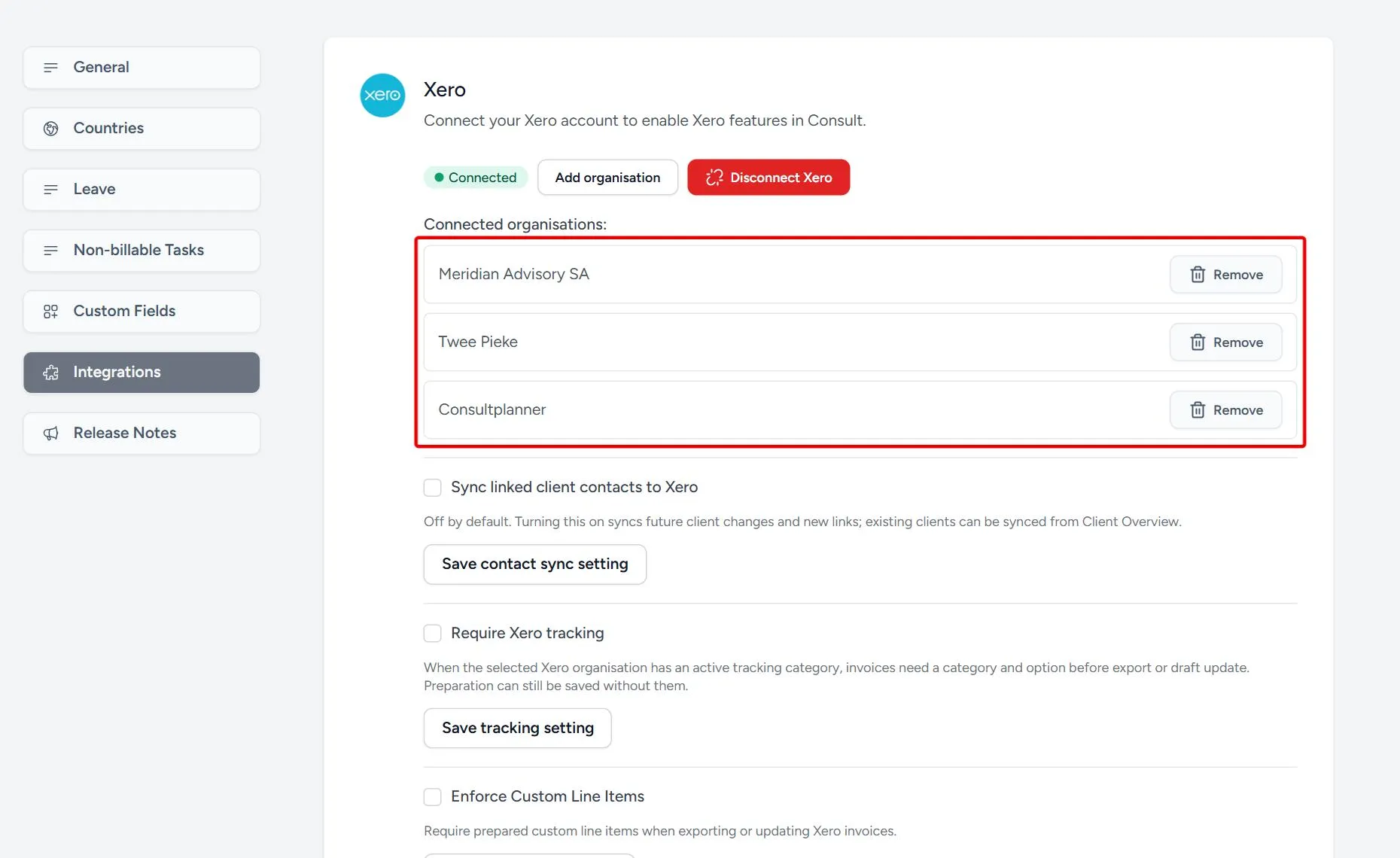
If your business runs more than one Xero organisation, you can now connect them all to Consult. When preparing an invoice, you choose which Xero organisation it goes to. See Xero integration for how to connect, add and remove organisations.
Replace a Project Director
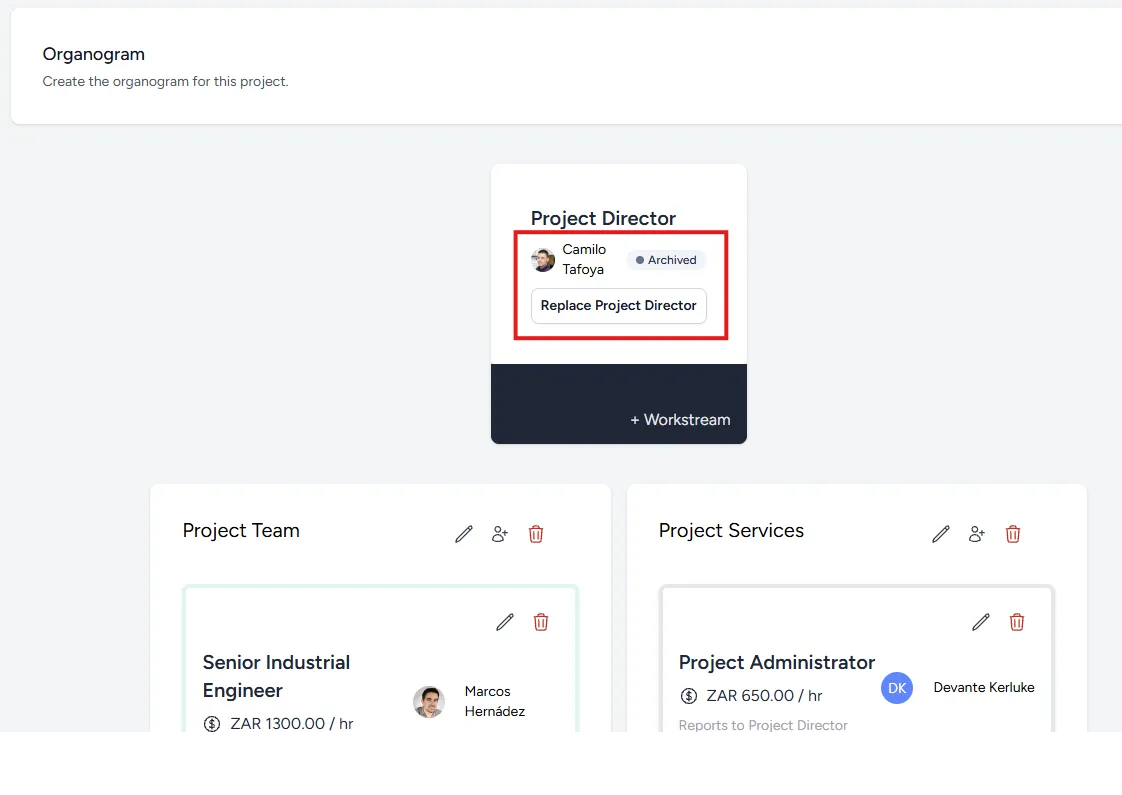
When a project’s Project Director leaves or moves on, you can now replace them without losing any history. Once the director is archived, the Project Director card on the organogram offers Replace Project Director, and you can then assign the new person. The outgoing director’s hours and rates stay on the project as a record. See replace a Project Director for each step.
Book leave in hours
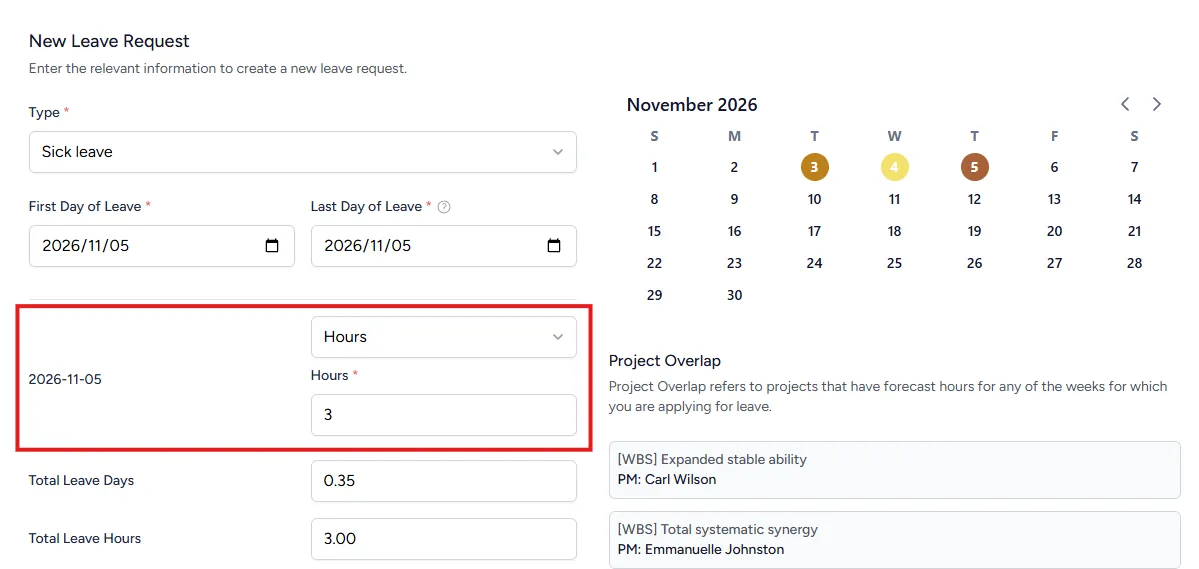
Employees no longer need to book a half or full day when they only need a few hours off. When applying for leave, each date can now be booked as a full day, a half day or a number of hours. Hours are converted to days using the employee’s own working hours, so leave balances stay accurate.
Designated leave approvers
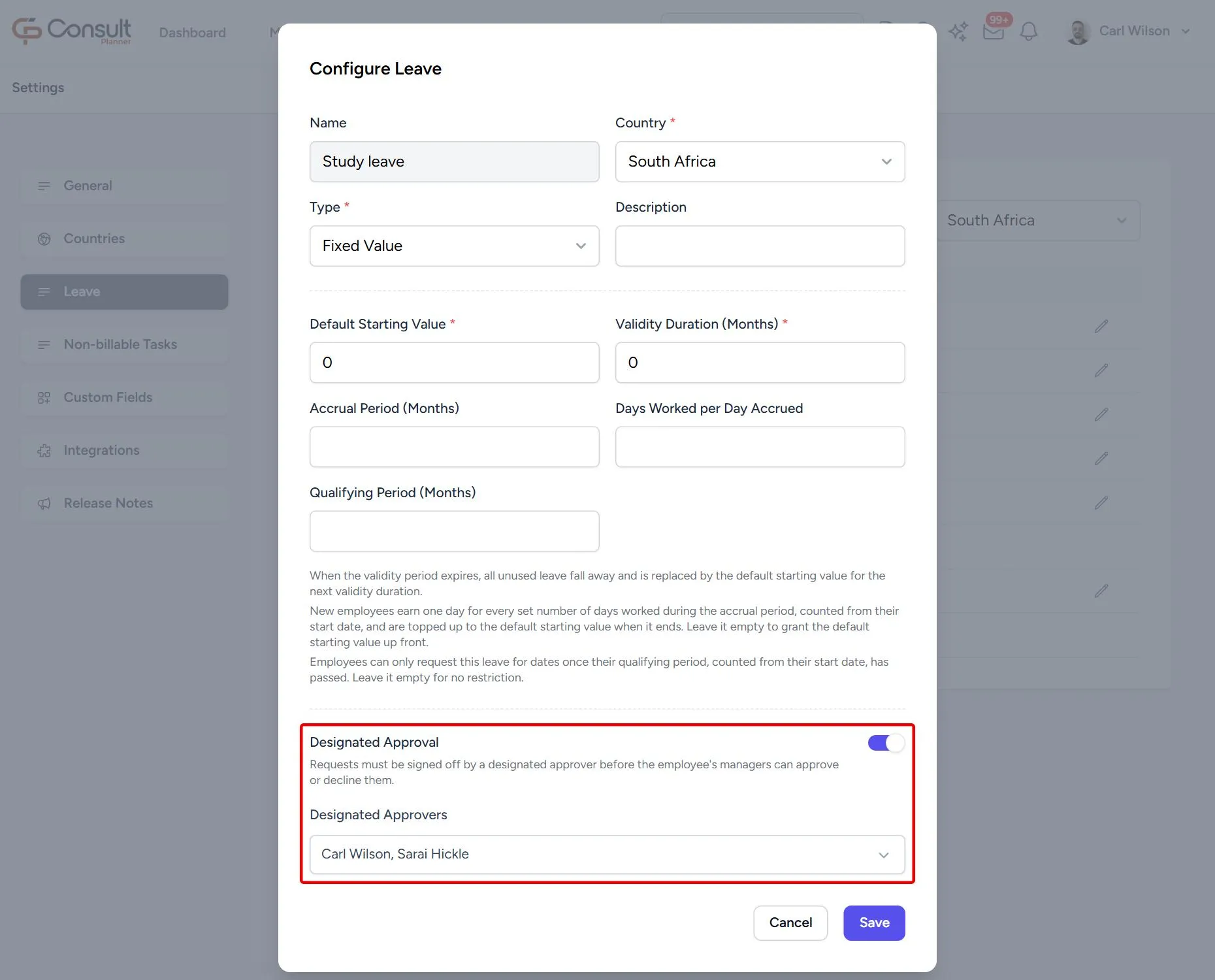
A leave type can now require sign-off from one or more designated approvers before it goes to the employee’s manager. Administrators can switch this on per leave type under Settings > Leave, using the Designated Approval option in the leave configuration. Study leave is the first leave type to use this. See designated leave approvers for how to set it up and how a request moves through approval.
Expense report tabs in the inbox
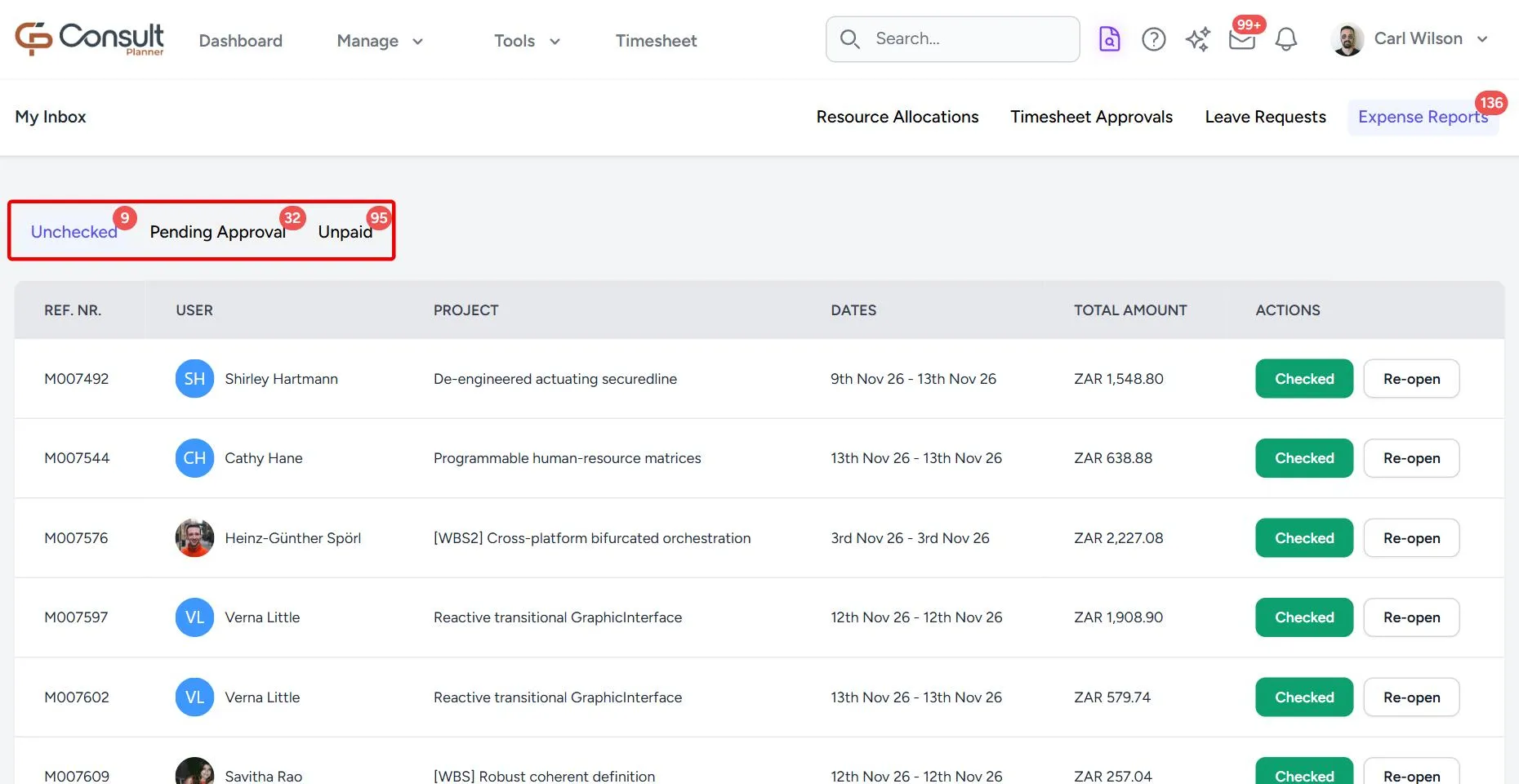
Expense reports in the inbox are now split into separate Unchecked, Pending Approval and Unpaid tabs, each with its own count. This makes it easier to see what still needs your attention, and the counts now update as reports move through each stage.
Uninvoiced hours on invoices
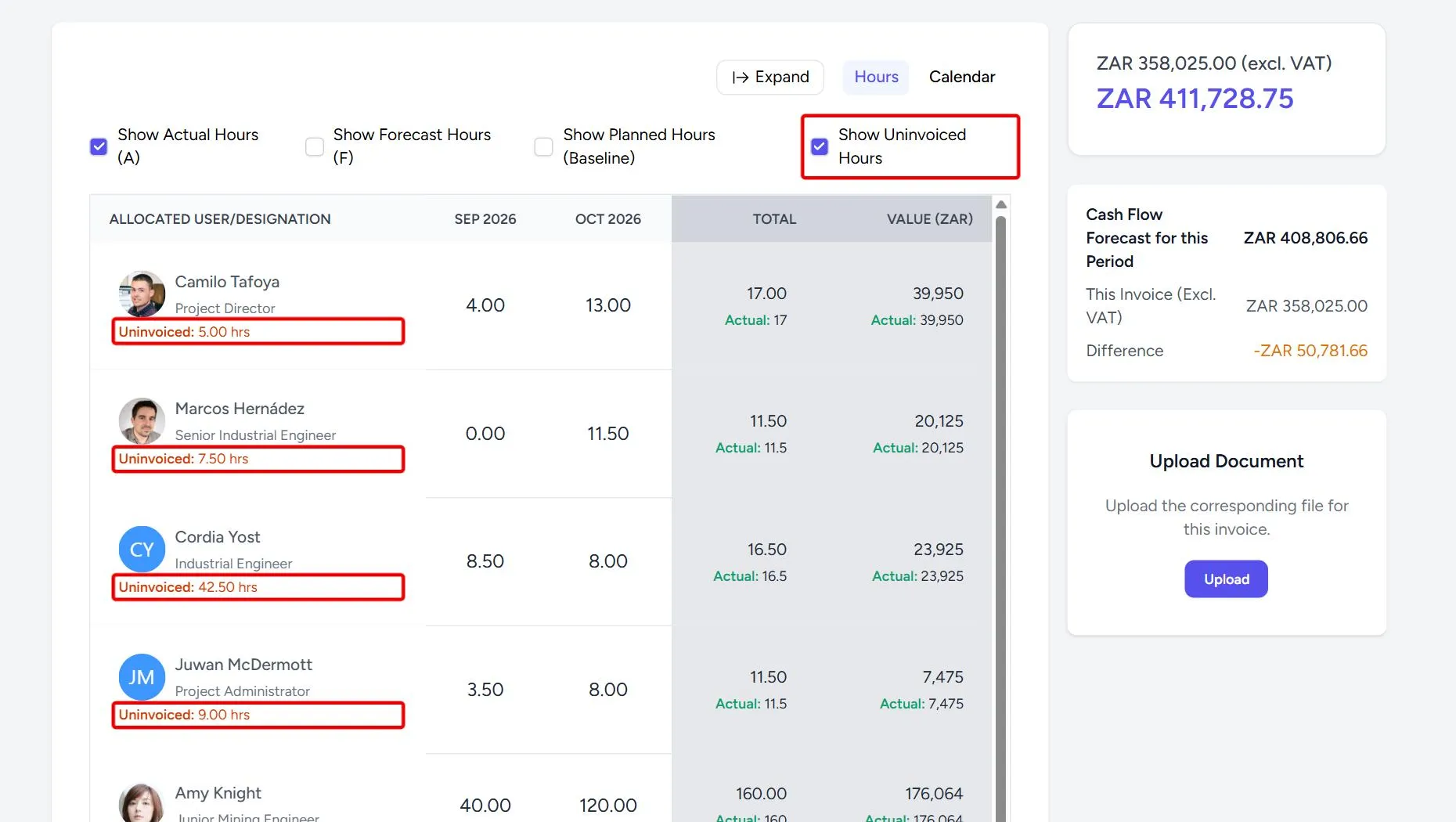
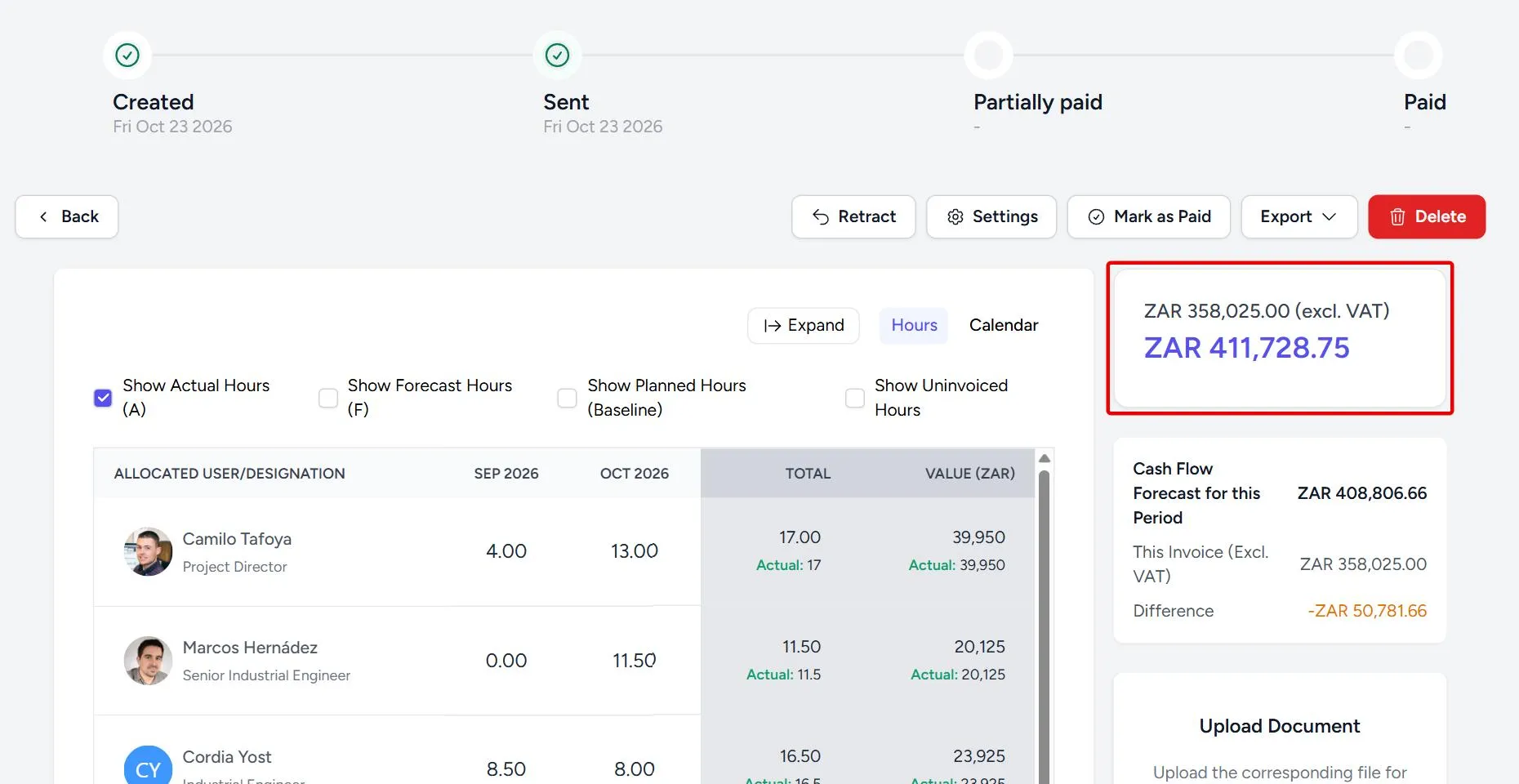
A new Show Uninvoiced Hours option on the invoice hours tab shows each resource’s hours that have been worked but not yet billed. This helps you spot unbilled work before you finalise an invoice. See uninvoiced hours for how the figure is worked out.
Xero contacts and debtor balances
Client records can now be linked to their contact in Xero, and Consult uses that contact when invoices are exported. Each client’s overview also shows their outstanding debtor amount from Xero, refreshed overnight and whenever invoices change.
VAT handling
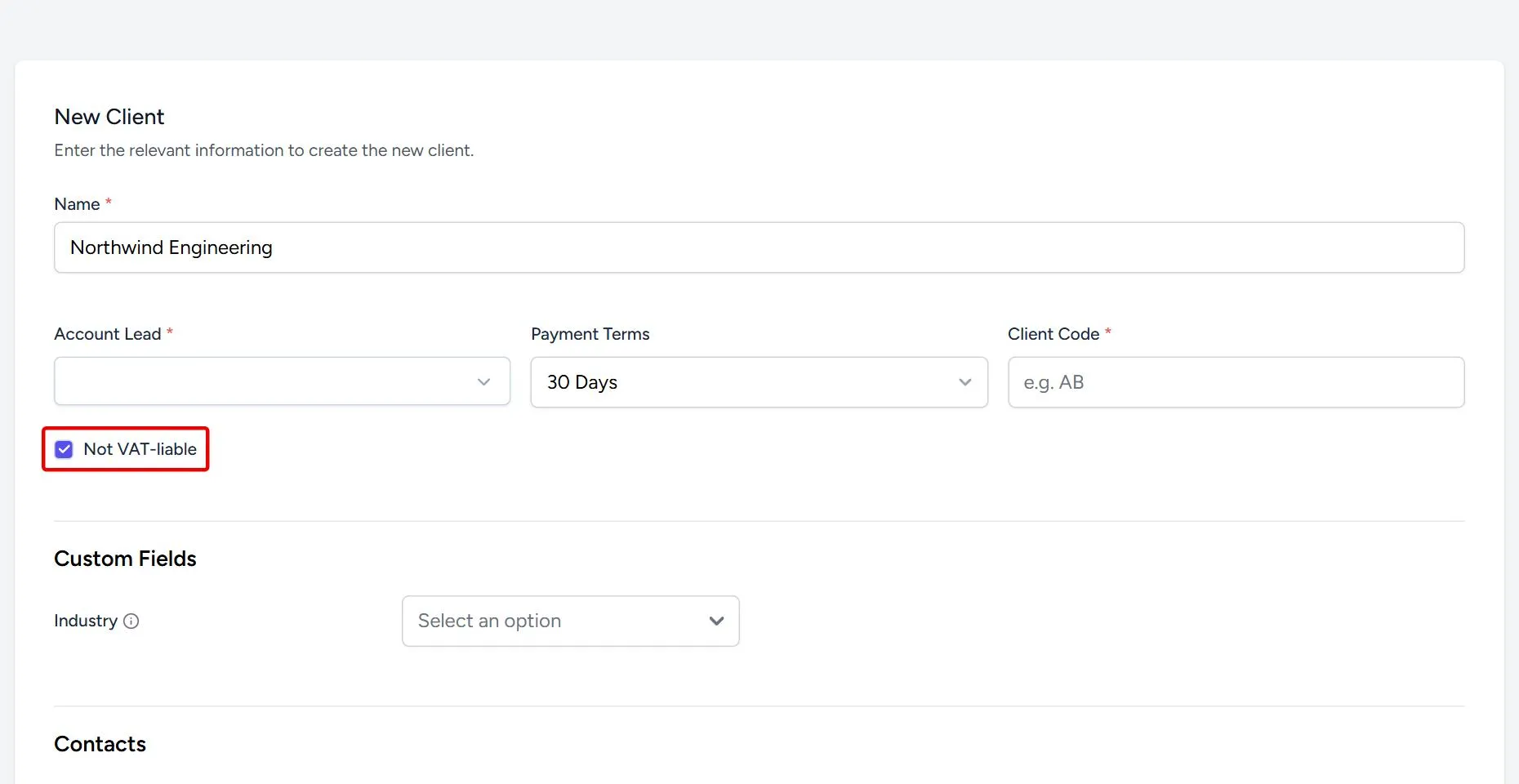
Clients can now be marked as Not VAT-liable, and expenses can be recorded as VAT Included, VAT Excluded or No VAT.
Invoice totals now show amounts both excluding and including VAT, and VAT is only applied to the amounts it applies to. See no VAT on expenses and invoices for how each option changes the totals.
Other updates
In addition, we’ve also introduced the following:
- Allocation approvals: Allocation requests for employees without a resource manager now go to an administrator, and approval totals now include public holiday hours.
- Leave qualifying periods: A leave type can now require a minimum period of service before it can be requested, and sick leave can accrue based on days worked during an employee’s first six months.
If you have any questions or feedback, please do not hesitate to reach out.