
Replace a Project Director
How to replace a project's Project Director once they have been archived, while keeping their hours and rates on the project as history.
When a project’s Project Director leaves or moves on, they can be replaced without losing any history. The outgoing director is archived, a new Project Director is added in their place with the same rates, and a user is then assigned to it.
Anyone who can edit the project can replace its Project Director, for example its project managers, its Project Director, or a user whose role has permission to manage projects.
Warning: Do not delete a Project Director to replace them. Deleting removes them from the project schedule, so their hours no longer form part of the project’s history. Archive them and use Replace Project Director instead, as described below.
Replace the Project Director
To replace a Project Director:
-
Archive the current Project Director:
-
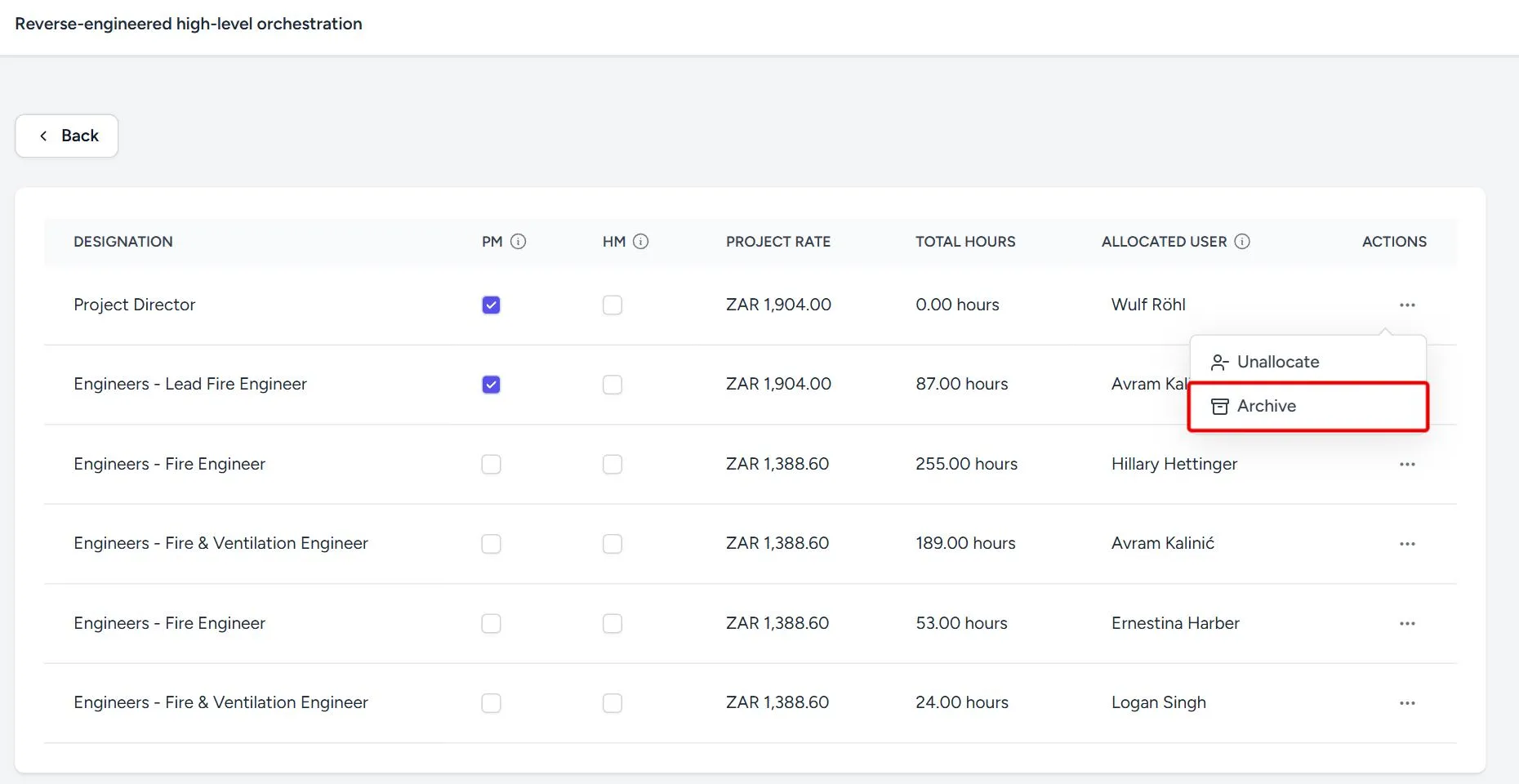
Open the project and go to Resources.
-
In the Project Director’s row, open the actions menu and click Archive:
-
Click Yes to confirm.
The director’s row is marked Archived.
-
-
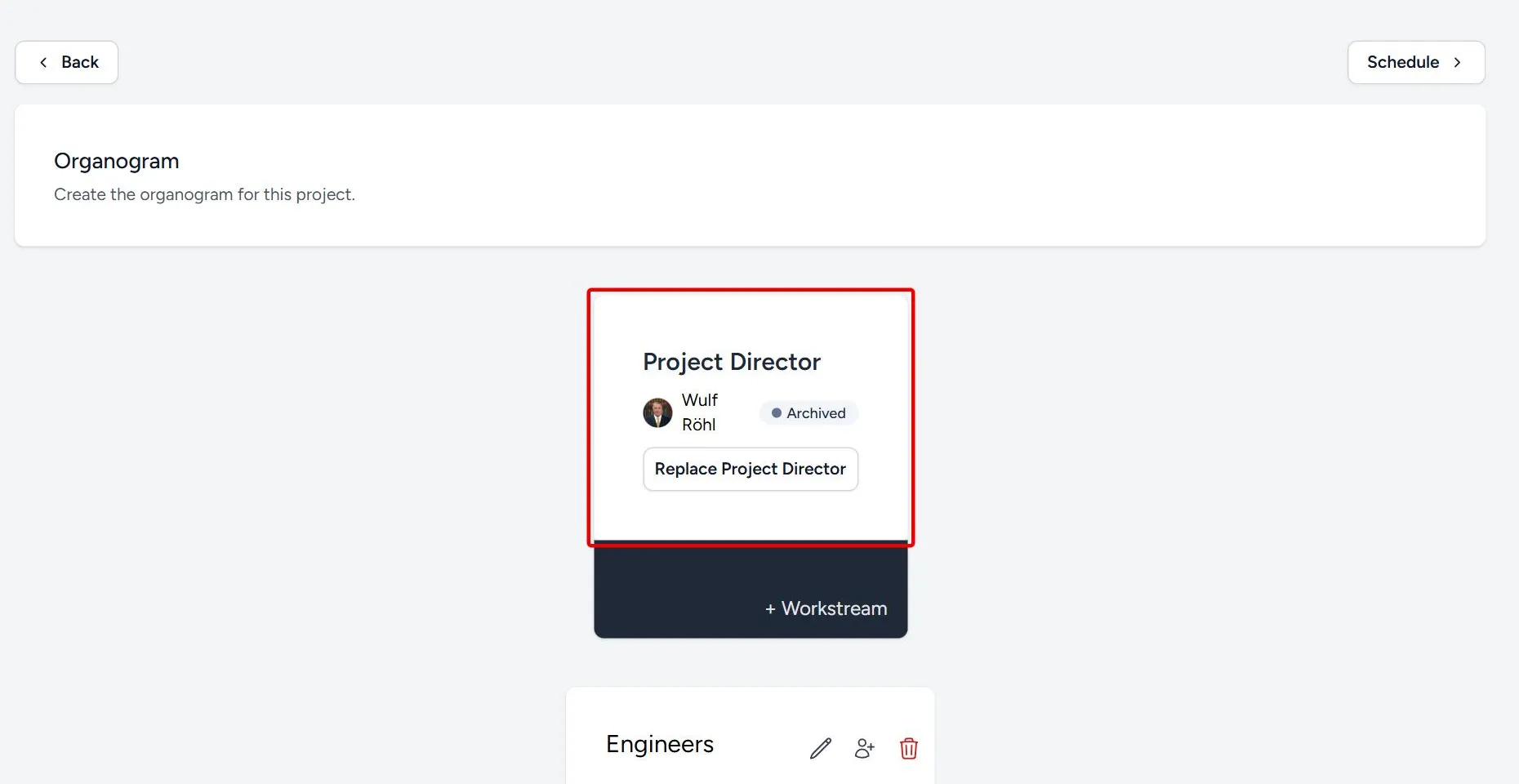
Go to Organogram. The Project Director card shows the outgoing director marked Archived, with a Replace Project Director button:
-
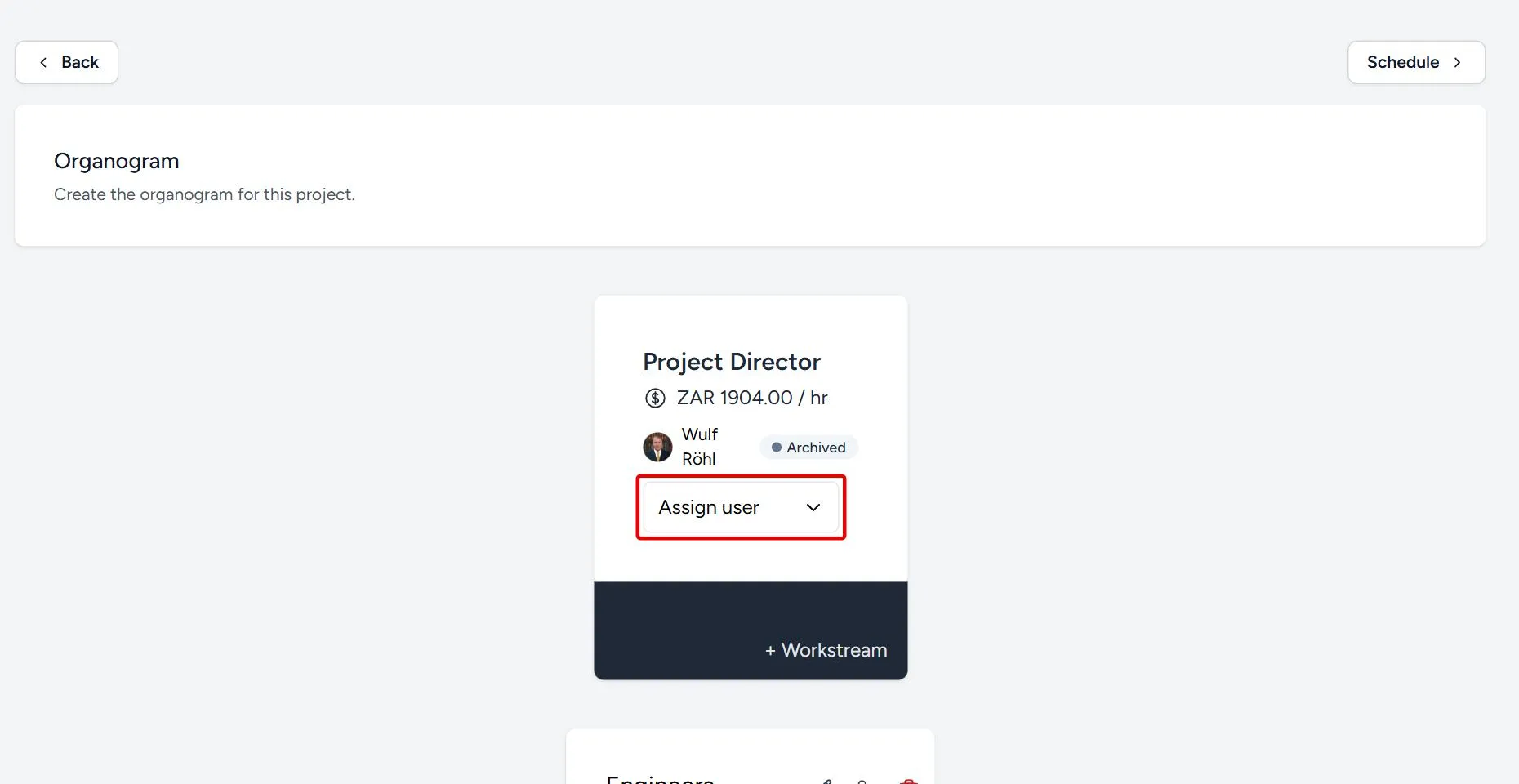
Click Replace Project Director, then click Yes to confirm. This adds a new Project Director with the same designation and rates as the archived one, but with no user assigned yet:
-
On the Project Director card, use Assign user to search for and choose the new Project Director. Users who are already busy in the weeks scheduled for the Project Director are marked with a red cross, and choosing one opens the scheduling conflict to resolve first. A replacement starts with no hours scheduled, so this only happens if you add hours before assigning a user. The card then shows the new Project Director:
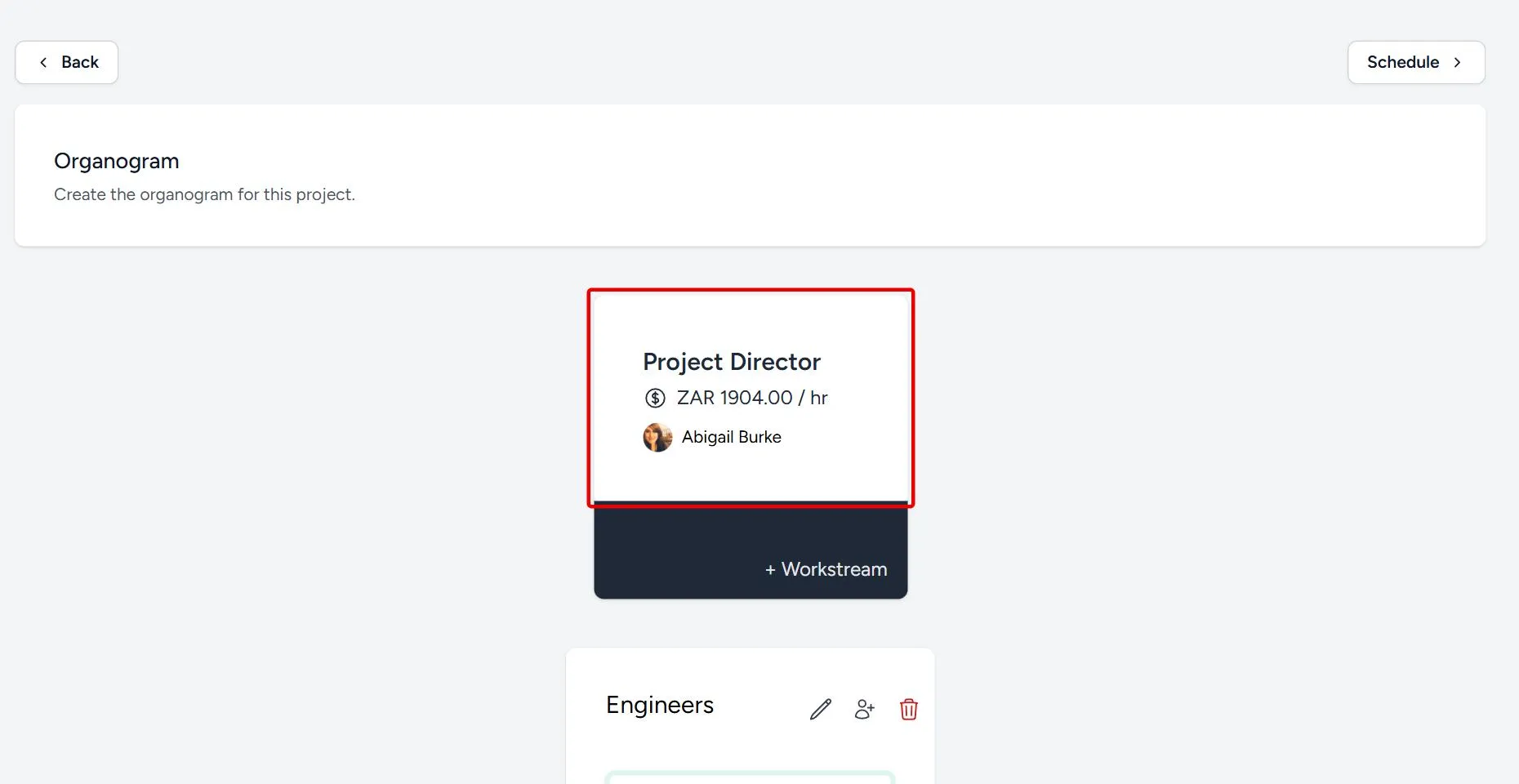
The new Project Director starts with no hours scheduled. Add their forecast hours on the project schedule as for any other resource.
What happens to the outgoing director
The archived director keeps their hours, schedules, and rates on the project as a record, and their hours already on invoices stay there. Like any archived resource, they are left out of the project schedule and of new invoices.
Under Resources, both directors are listed with the same rate, and the outgoing one is marked Archived:
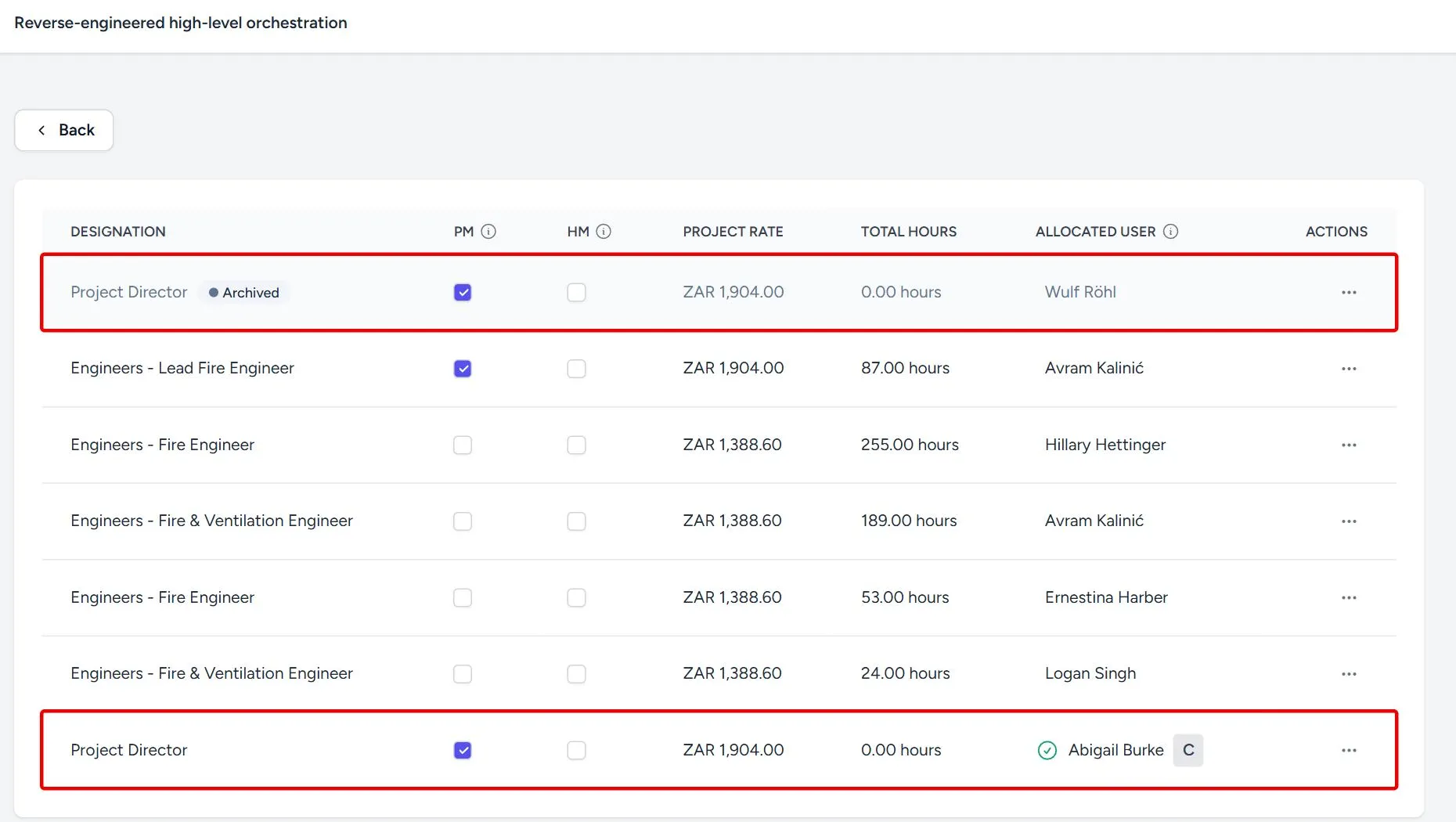
Until a user is assigned to the new Project Director, the archived director is still the project’s director, for example on the project list and overview, and keeps their access to the project. Assigning a user makes them the project’s director from then on.
Rules and edge cases
- The Replace Project Director button is only shown once the current director has been archived. An active Project Director cannot be replaced; archive them first.
- A project can only have one active Project Director, so the button is hidden while a replacement is waiting for a user to be assigned.
- An archived director cannot be restored with Unarchive once a replacement has been added. Consult shows “This project already has an active Project Director. Archive them before restoring this one.” To bring them back, archive the replacement first.
- Removing the user from the new Project Director with Unallocate leaves the project with no director until another user is assigned. The archived director does not become the director again.
See app, project, and resource roles for what the Project Director role can do on a project.