
Project life cycle
The stages a project moves through, from pipeline to completion.
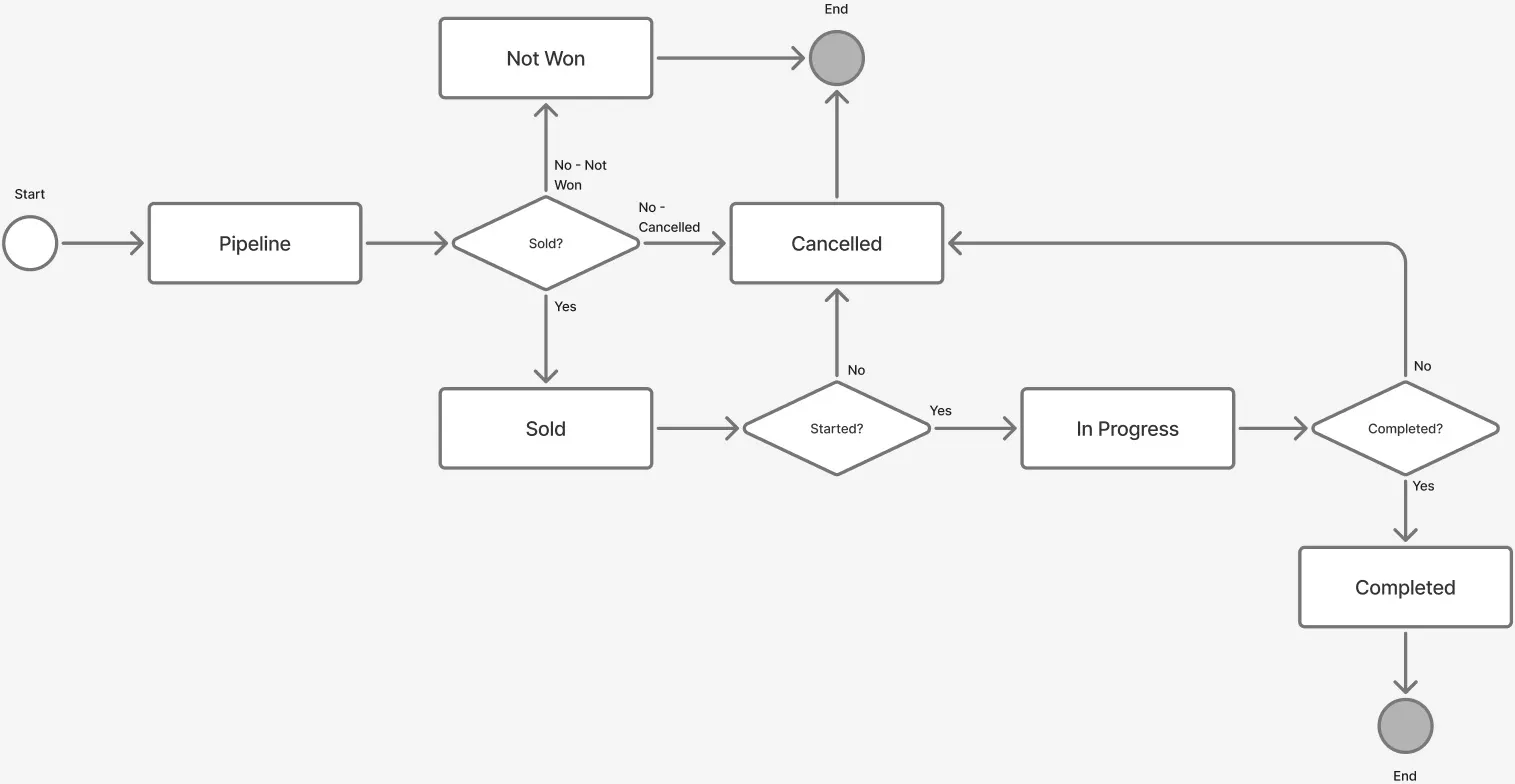
Project stages
Each project on Consult moves through a set number of stages. When a project is sold and successfully completed, its life cycle follows the default shown here:

An alternate end stage can be reached from each of these points:
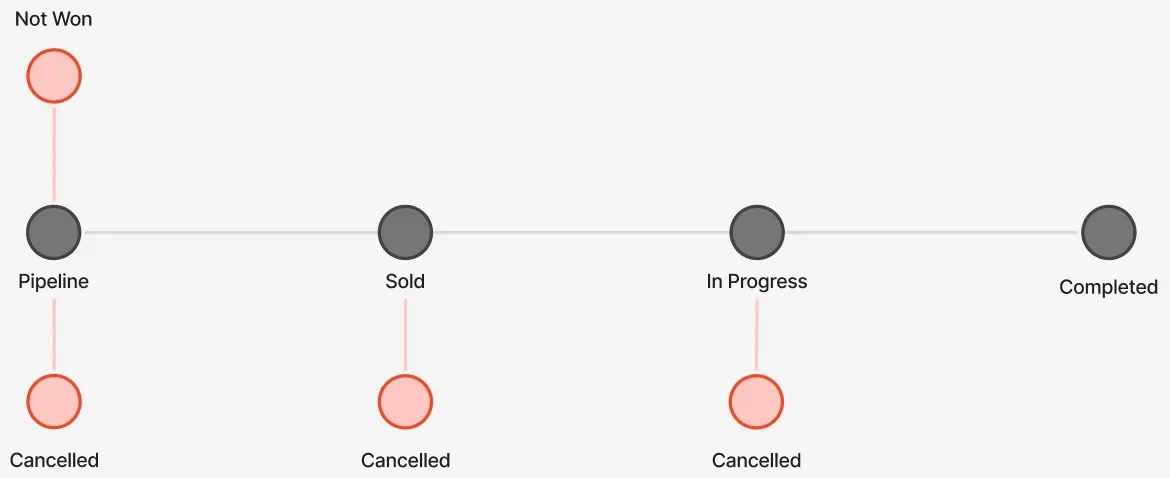
The stages are:
- Pipeline: An early-stage opportunity, with a win probability of
Low,Medium, orHigh. - Proposed (deprecated): The proposal has been submitted and is awaiting an outcome.
- Awaiting order (deprecated): The proposal has been agreed to and is pending a purchase order.
- Sold: The project is sold and ready to start.
- In progress: The active delivery stage.
- Completed: The work is finished. This is a terminal stage.
- Cancelled: The project has been stopped. This is a terminal stage.
- Not won: The opportunity was lost. This is a terminal stage.
Timesheets and project duration
For some stages, users assigned to the project see it in their timesheets but cannot capture hours against it. The project duration, its start and end date, is also not editable during certain stages.
The table below summarises how each stage affects timesheet capturing and project date editing:
| Stage | Timesheet hour capturing | Project duration editable |
|---|---|---|
| Pipeline | Allowed if allocations exist and pre-sold capture is enabled by PM (see work at risk). | Yes |
| Sold | Fully allowed. | Yes |
| In Progress | Fully allowed. | Yes |
| Completed | Blocked unless the project is extended or re-opened. | No |
| Cancelled | Blocked; resources are inactive. | No |
| Not won | Blocked; resources are inactive. | No |
Tip: Re-opening a terminal project restores editability and re-enables allocations and timesheet capturing.