
Utilisation calculations
How Consult calculates utilisation statistics from working days, leave, and public holidays.
This page explains how Consult calculates utilisation statistics.
Utilisation definitions
The calculations draw on the following values:
- Working days: The weekdays (Monday to Friday) that fall in the period of the calculation.
- Hours per day: The daily required number of hours, set on the user profile.
- Leave: The leave days taken during the period of the calculation.
- Public holidays: The public holidays that fall on a weekday in the period of the calculation.
A public holiday that falls on a Saturday or a Sunday is ignored, since it does not take away from a day the user was going to work. This applies wherever available hours are calculated, including allocation checks, the Utilisation Report, the schedule views, and resource capacity.
Calculations
The total hours expected for a period is:
Resource manager dashboard utilisation
The utilisation buttons on the organogram cards use the following calculation:
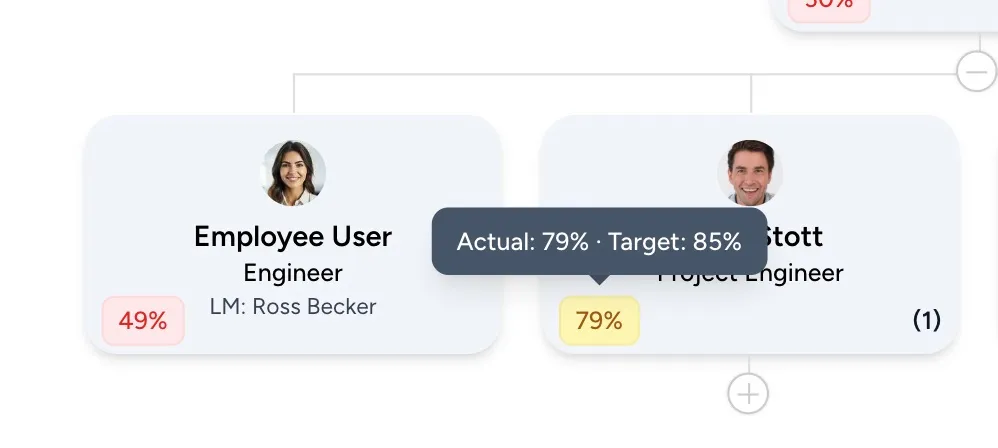
The colour of the value reflects performance against the target:
- Green: Actual utilisation is above the target utilisation.
- Orange: Actual utilisation is below the target, but more than 75% of it.
- Red: Actual utilisation is below 75% of the target.