
Appearance
Set up company organogram
To set up a company organogram, the following should be configured, otherwise the organogram will either not show (white screen) or will return an error.
CEO or Managing Director
This user will be the first node on the organogram. The following field is important:
Job Title: This field must be either:
CEOManaging DirectorMD
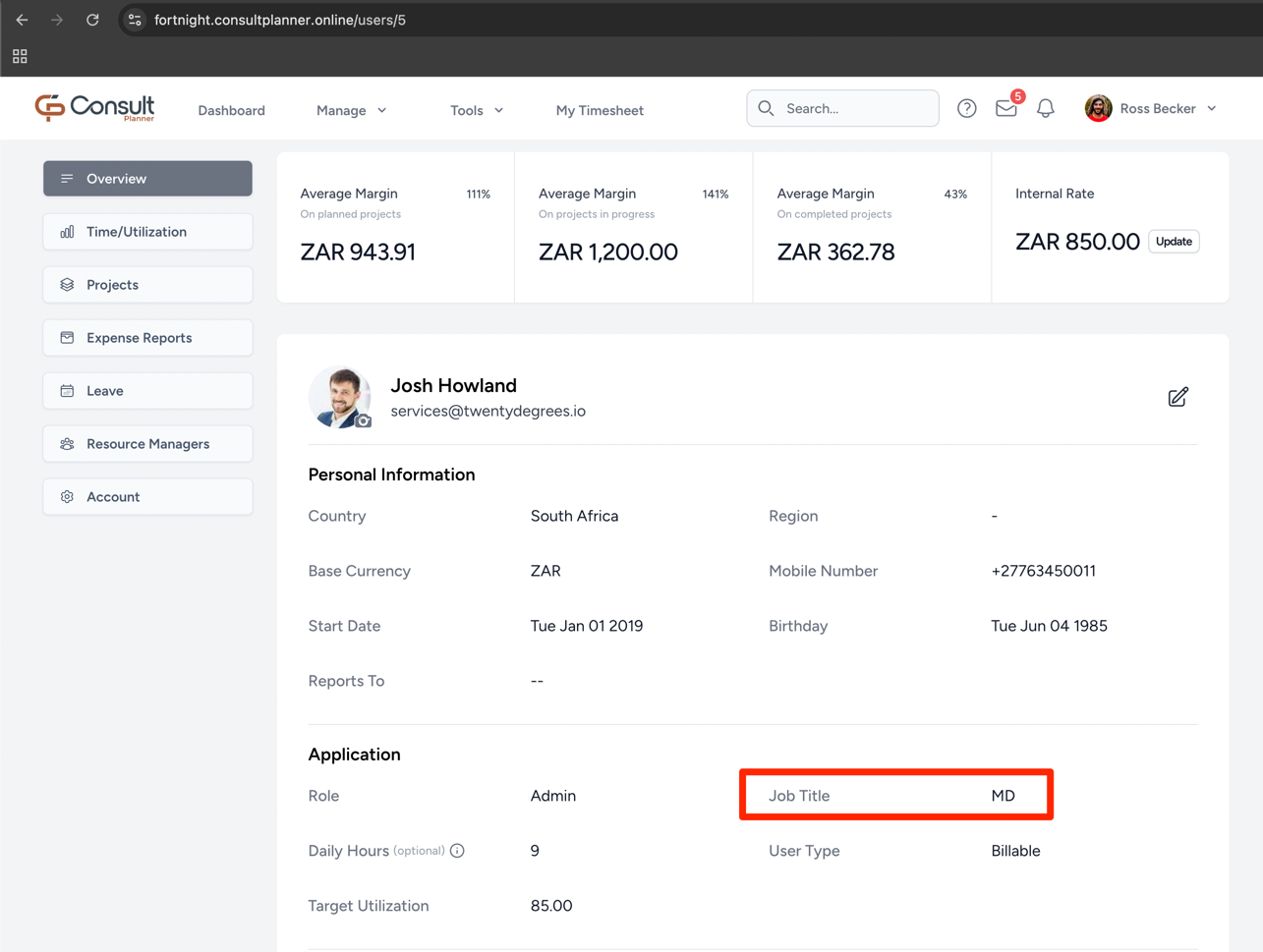
With this field configured for one user, the organogram will show that user upon the next load.
Primary resource managers
For the rest of the company to appear on the organogram, they should be assigned a primary resource manager on the resource managers view.
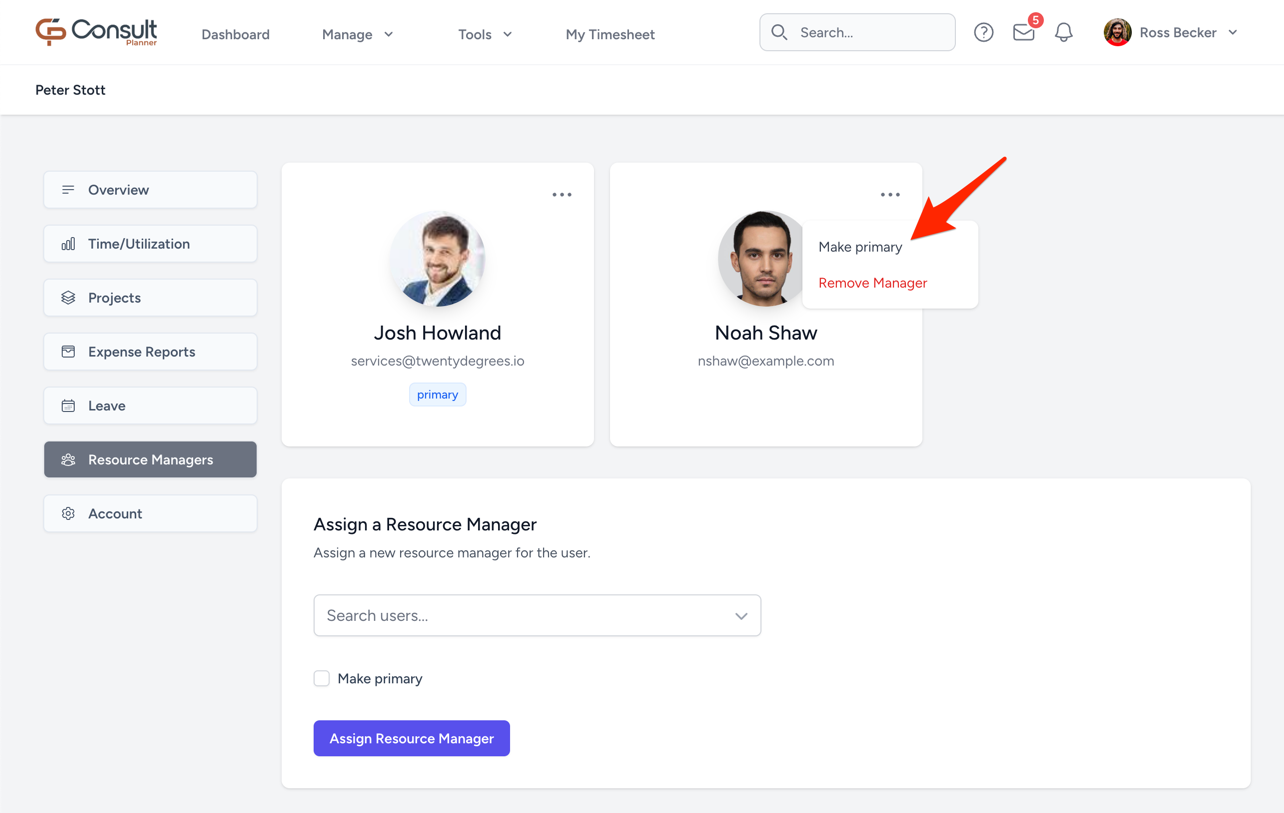
If a user does not appear on the organogram, it's likely that either the user or their primary resource manager does not have a line of resource managers that reach all the way back to the CEO or managing director.