
Appearance
Edit planned hours (baseline)
Overview
The planned hours (baseline) (PHB) represent the original planned effort for a project, typically aligned to the purchase order. It serves as a reference point for tracking forecast changes, actual work, and financial performance over time.
How to edit planned hours (baseline) on a project
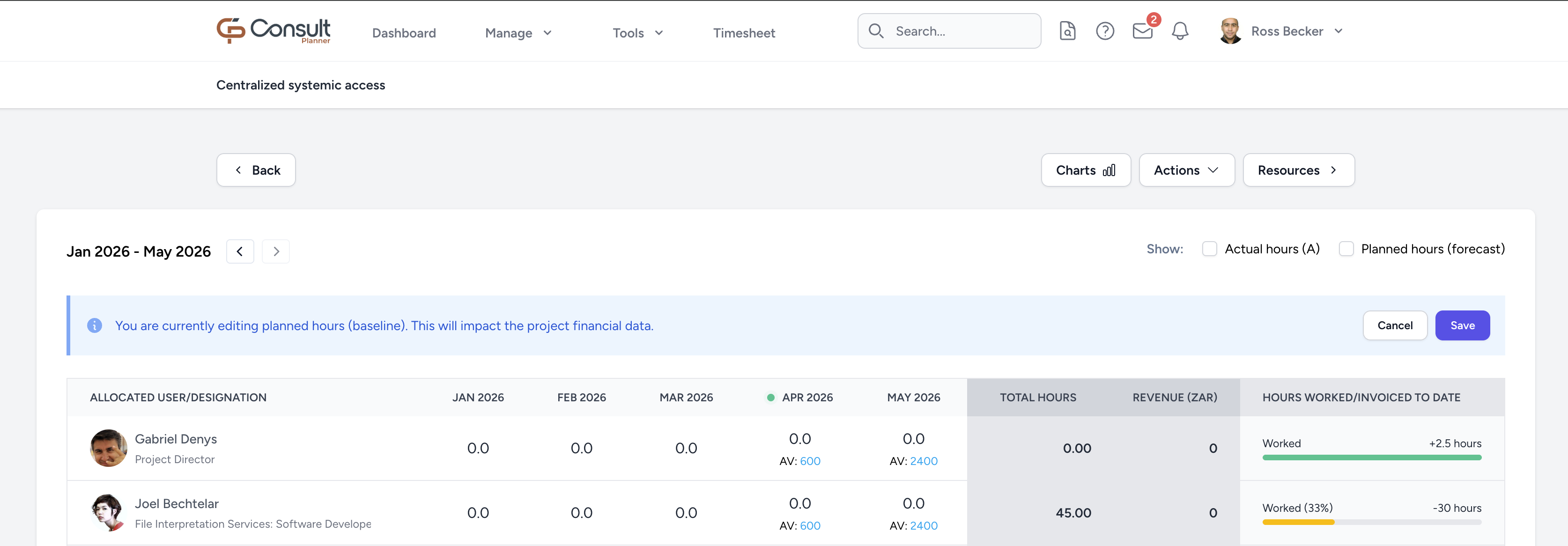
- Navigate to the project schedule view.
- Click on the Actions dropdown.
- Select Edit planned hours (baseline). This will switch the view to PHB editing mode and enable the update of the values.
- After making updates, click Save.
Once saved, totals and financial values will reflect the planned hours (baseline) that have been updated.
INFO
The Fill Hours option in the Actions dropdown can also be used to make bulk updates of planned hours (baseline).