
Appearance
Approve timesheets
Overview
Timesheet approval is required only when the Timesheet Submission admin setting is enabled. When a timesheet is submitted, an approval request is sent to the resource manager.
Timesheet approval process
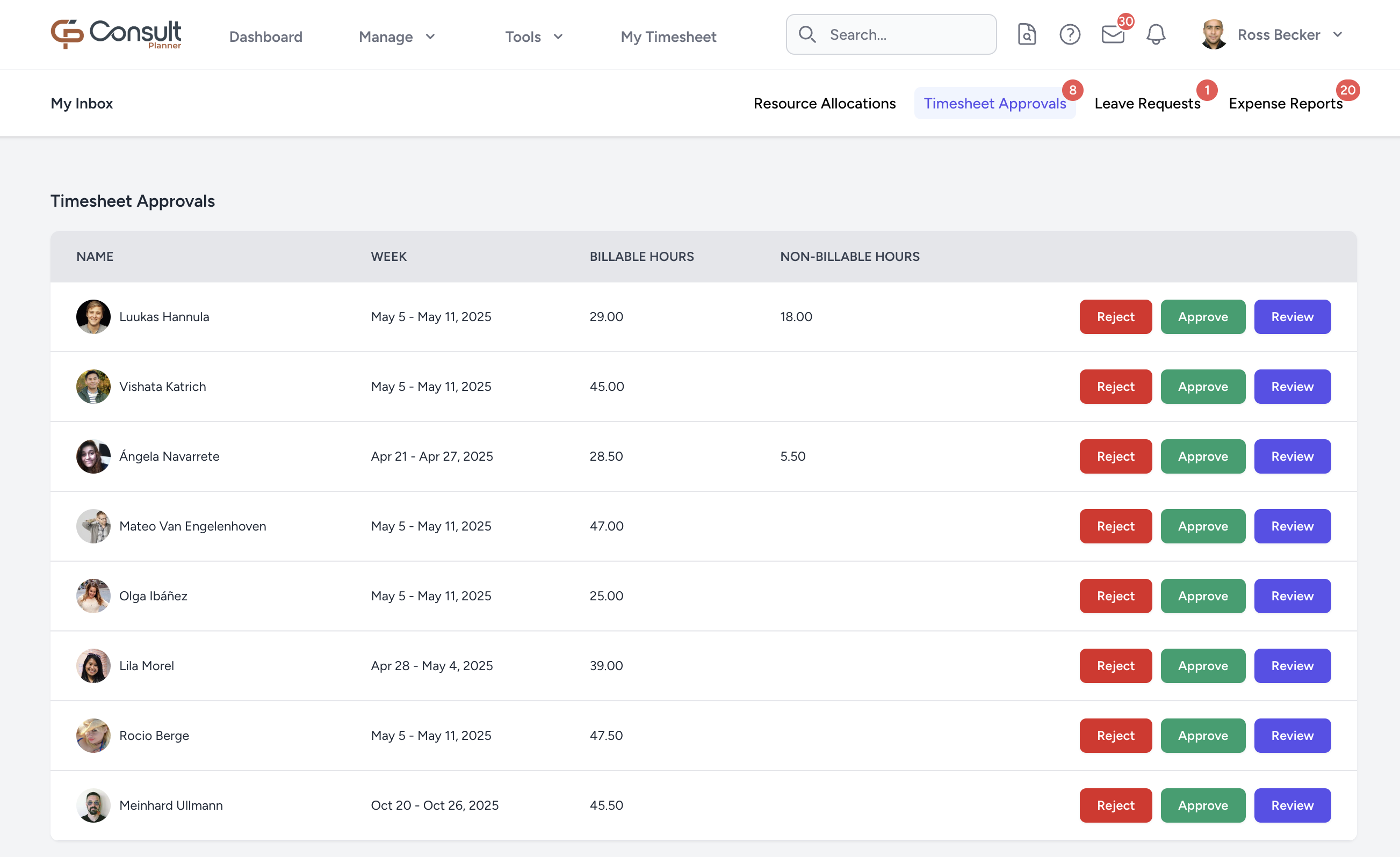
- From the top navigation bar, click on the inbox icon.
- Select the Timesheet Approvals tab. You will see a list of submitted timesheets awaiting approval.
- Click Review to see the complete timesheet with all the comments made by the user. If the timesheet complies with expectations, click Approve. Otherwise, click Reject.
If Reject is clicked, Consult will prompt for a reason to be entered.
If a timesheet is rejected:
- The employee will be notified with the rejection reason.
- The employee can update the hours or comments and resubmit the timesheet for approval.
Viewing past approved timesheets
Once a timesheet has been approved, it will no longer appear in the Timesheet Approvals inbox.
To view previously approved timesheets:
- From the top navigation bar, click Manage > Users.
- Select the relevant user.
- Click Past Timesheets from the left menu. You will be taken to the Timesheet Submissions page, which lists all timesheet submissions for the user.
On this page, you can view the status of each timesheet or click Review to see the full submission details, including logged hours and comments.