Appearance
Choose the project format
When creating a new project, you are presented with one of three options after completing the initial setup step:
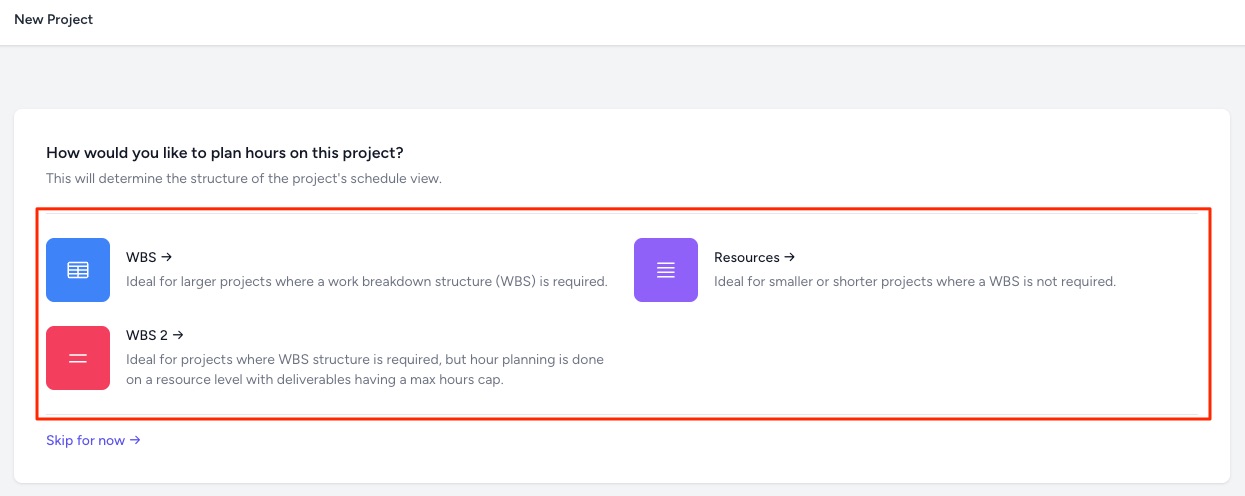
Selecting these options primarily affects how you will schedule hours on your project:
- Simple Project: Hours are scheduled based on the resource, no deliverables are shown.
- WBS: Hours are scheduled on a deliverable level, with a schedule required for each resource assigned to that deliverable. Although it requires more schedule maintenance, it gives the project manager finer control over how planned hours are allocated to deliverables.
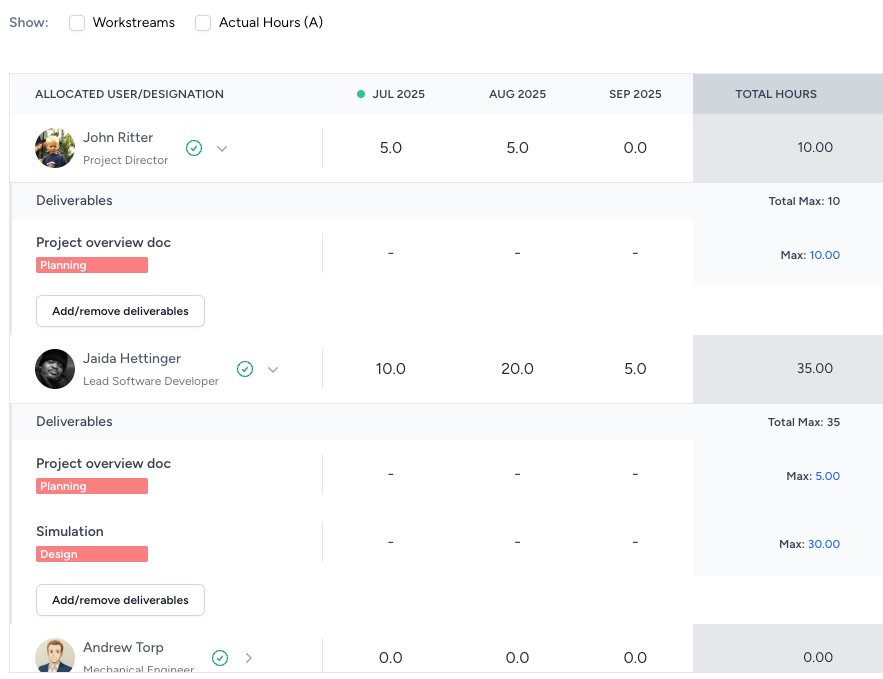
- WBS 2: Hours are scheduled on a resource level, but the resource will log their hours against specific deliverables which have a cap on the allowed number of hours.
WARNING
The selected format is considered permanent for the project, since the schedule structure changes between formats. If you need to change format after creation, contact Consult support.
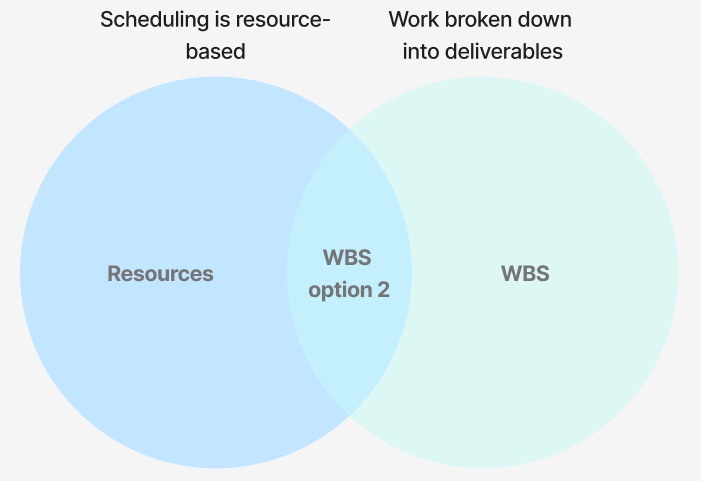
WBS 2 was introduced to offer the simplicity of scheduling that the Simple Project format provides, whilst giving the project manager the ability to define what each resource should work on and how much time they may log against those deliverables.
This diagram summarizes where WBS 2 sits relative to the other options:
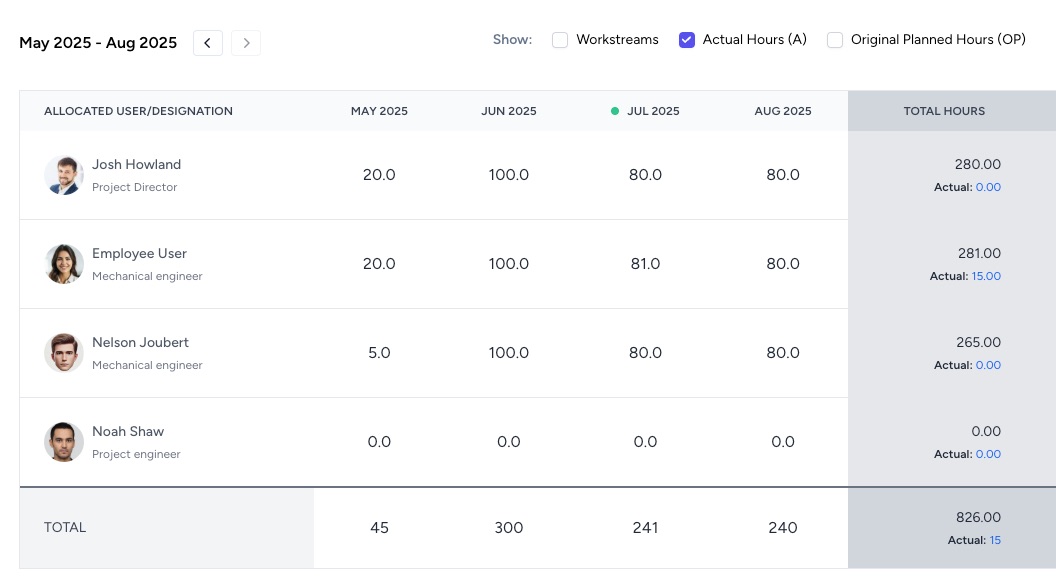
To see what the schedule looks like for each of the above options, here are a few example screenshots:
Simple Project example schedule
WBS example schedule
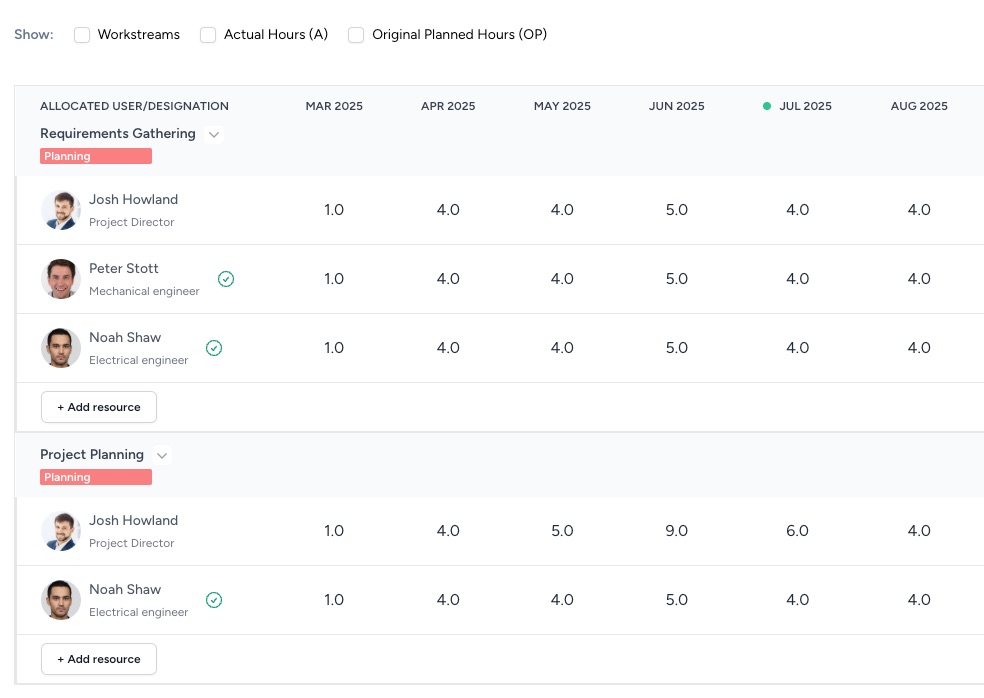
WBS option 2 example schedule