Choose the project format
Compare the Resources, WBS with Deliverable Scheduling, and WBS with Resource Scheduling formats and the scheduling approach each one uses.
When creating a new project, one of three format options is presented after the initial setup step.
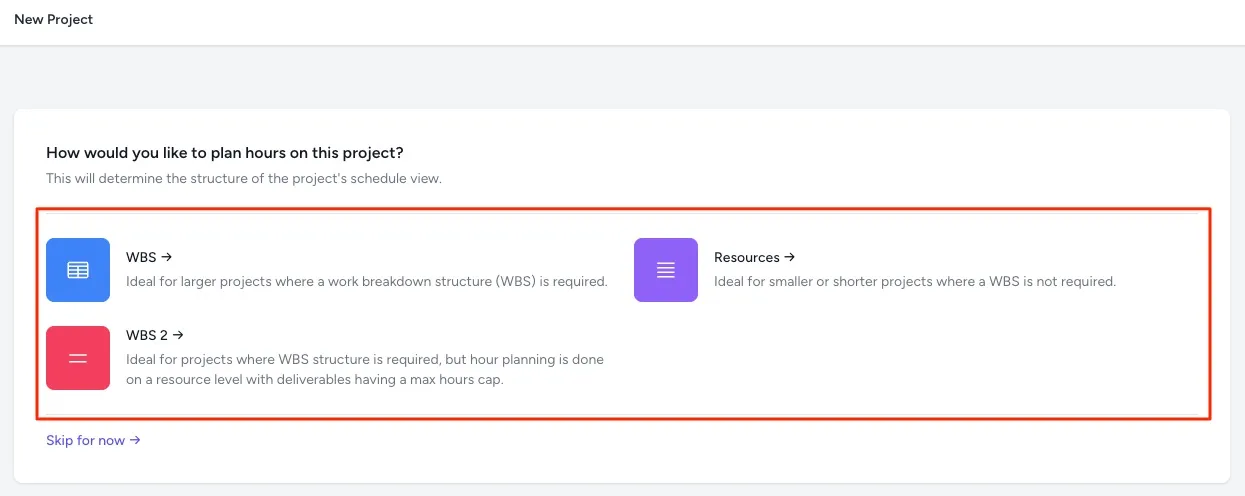
The format mainly affects how hours are scheduled on the project:
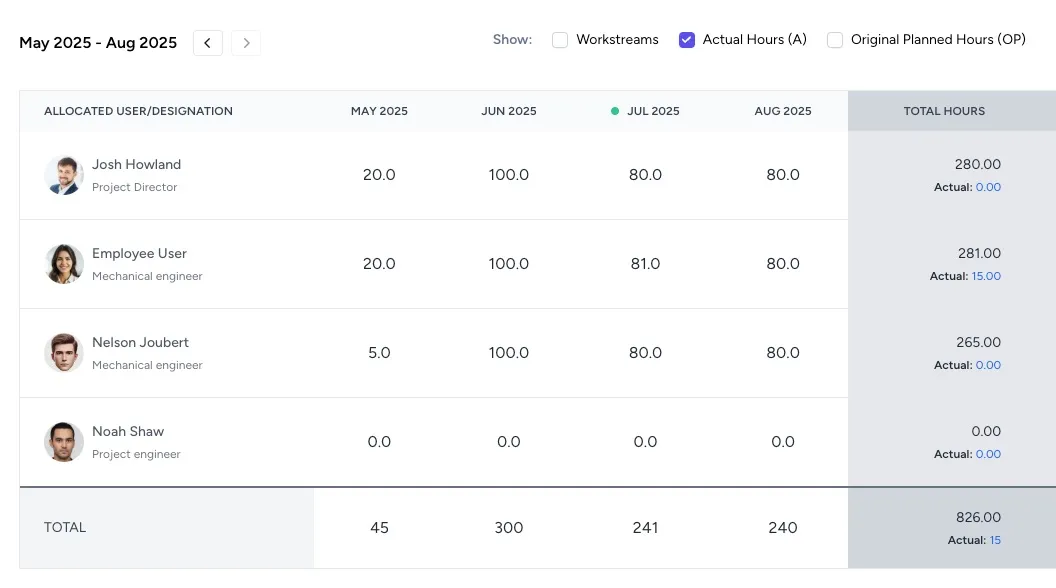
- Resources: Hours are scheduled per resource, with no deliverables shown.
- WBS with Deliverable Scheduling: Hours are scheduled at the deliverable level, with a schedule required for each resource assigned to that deliverable. This requires more schedule maintenance, but gives the project manager finer control over how forecast hours are allocated to deliverables.
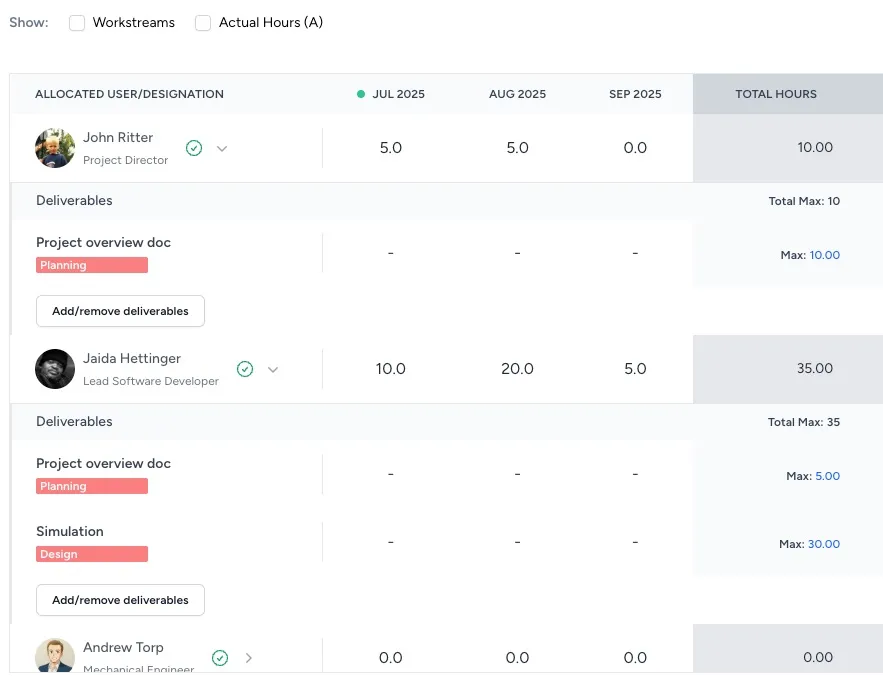
- WBS with Resource Scheduling: Hours are scheduled per resource, but the resource logs hours against specific deliverables, each of which has a cap on the allowed number of hours.
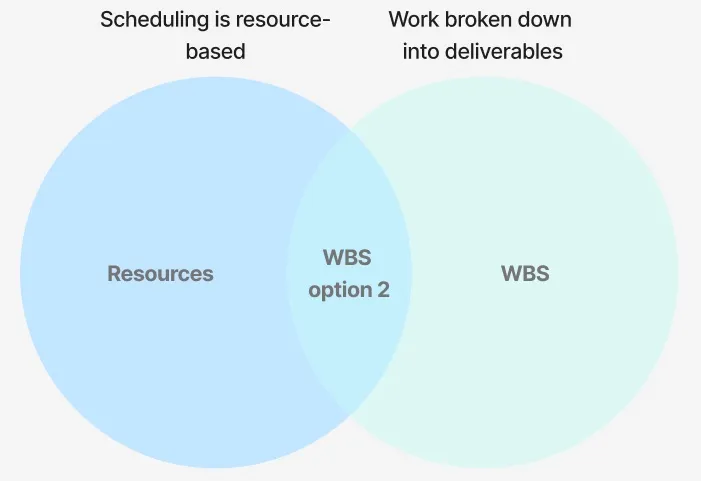
WBS with Resource Scheduling offers the scheduling simplicity of the Resources format, while letting the project manager define what each resource should work on and how much time they may log against each deliverable.
This diagram summarises where WBS with Resource Scheduling sits relative to the other options:
The screenshots below show what the schedule looks like for each format.
Resource schedule example
WBS with Deliverable Scheduling schedule example
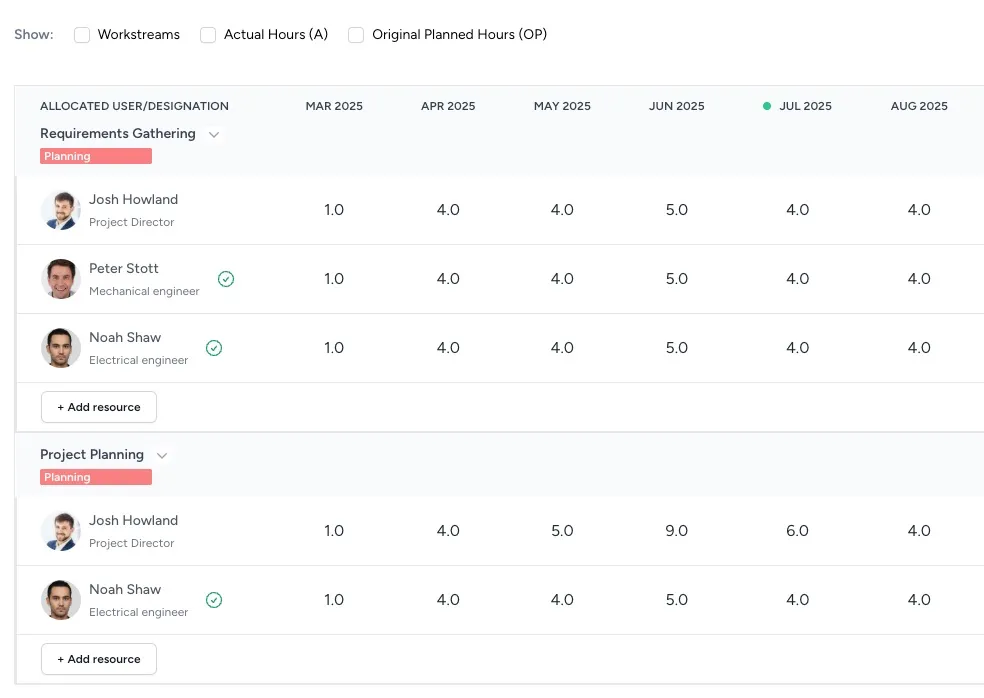
WBS with Resource Scheduling schedule example