WBS with Resource Scheduling example project setup
Set up a WBS with Resource Scheduling project, create deliverables, and assign them to resources with capped hours.
Although the WBS project format is designed with deliverables in mind, it can be used in various ways. This guide explains how to use the WBS with Resource Scheduling project setup.
Example project structure
This guide builds a simple project named Kalahari Copper Expansion Study, with the following structure:
- Phase 1: Setup
- WBS item 1.1: Project structure
- WBS item 1.2: Deliverables setup
- Phase 2: Planning
- WBS item 2.1: Effort estimates
- WBS item 2.2: Schedule baseline
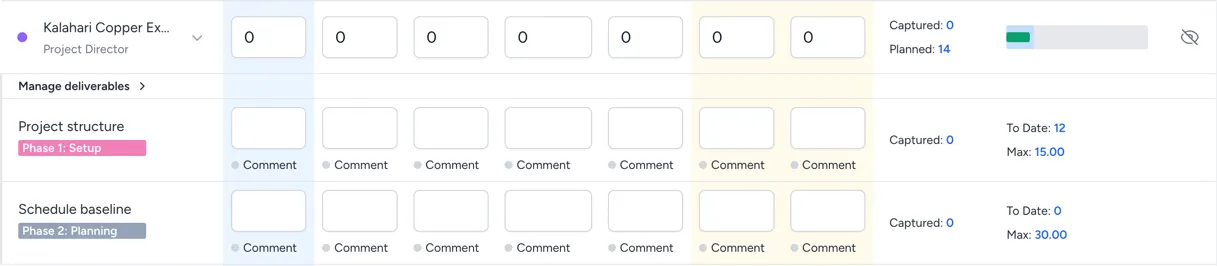
Once the steps are complete, an employee assigned to these deliverables sees a project like this in their timesheets:
Create deliverables
Having created a WBS with Resource Scheduling project, see create a new project, complete these steps to add deliverables:
-
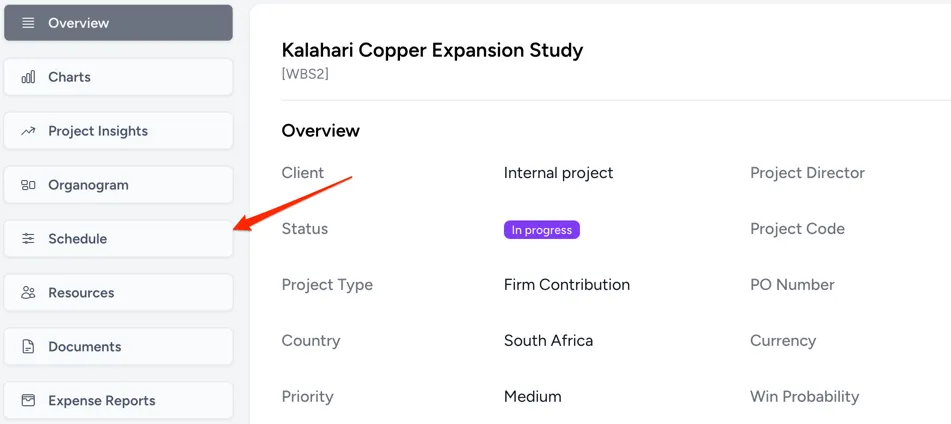
Go to the schedule view.
-
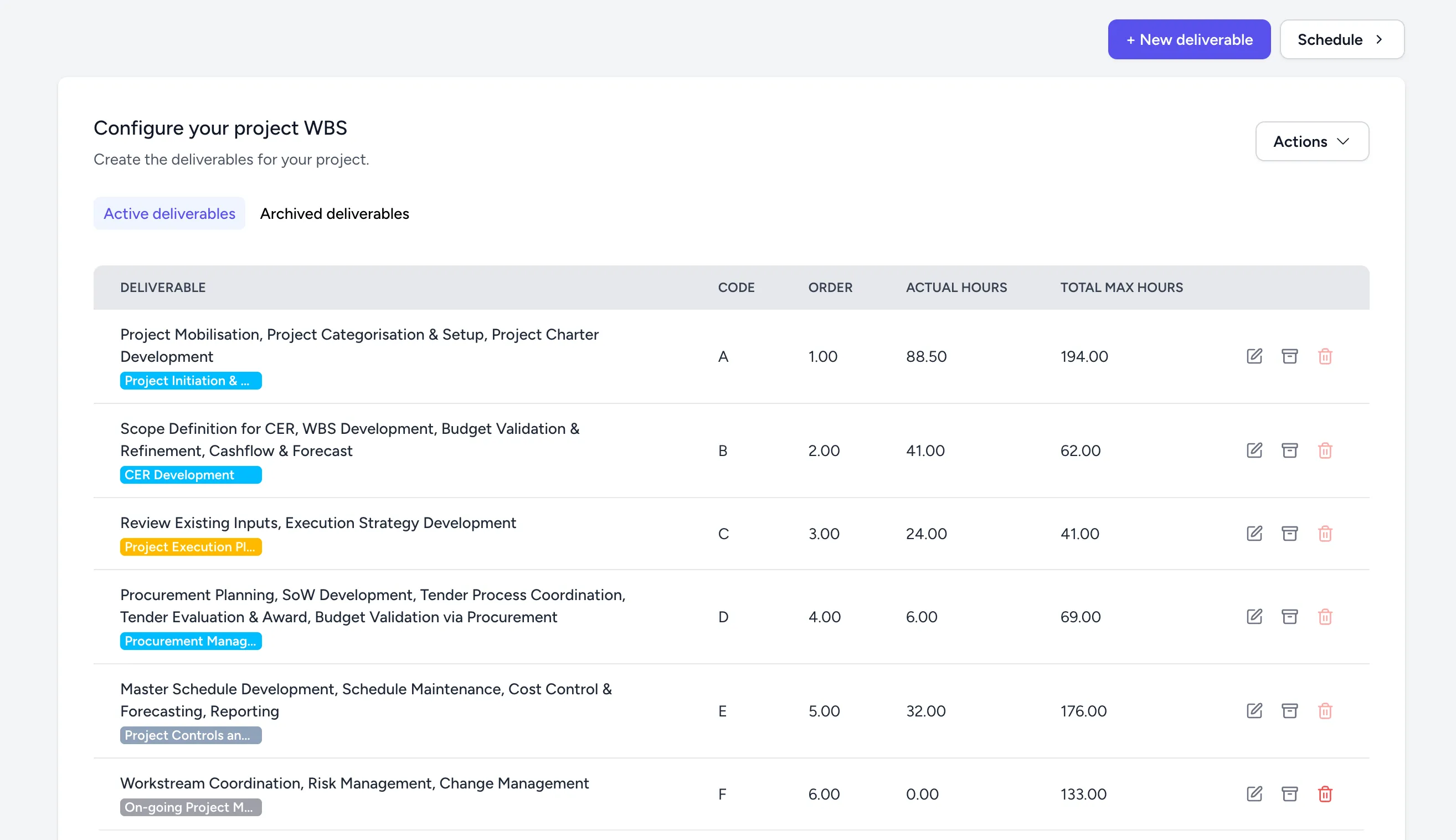
Click Deliverables in the top-right corner. This opens the deliverable management view:
-
Select + New deliverable.
-
Complete the fields in the form:
-
Name: The deliverable name, such as
Schedule baseline. -
Phase: The phase the deliverable applies to, such as
Phase 2: Planning. -
Start Date: The expected deliverable start date.
-
End Date: The expected deliverable end date.
-
Code: An identifiable code for the deliverable.
-
Order: A value that sets the order of the deliverable on the deliverable view. Use the format
[phase_number].[deliverable_order], for example2.2for the second deliverable in phase 2.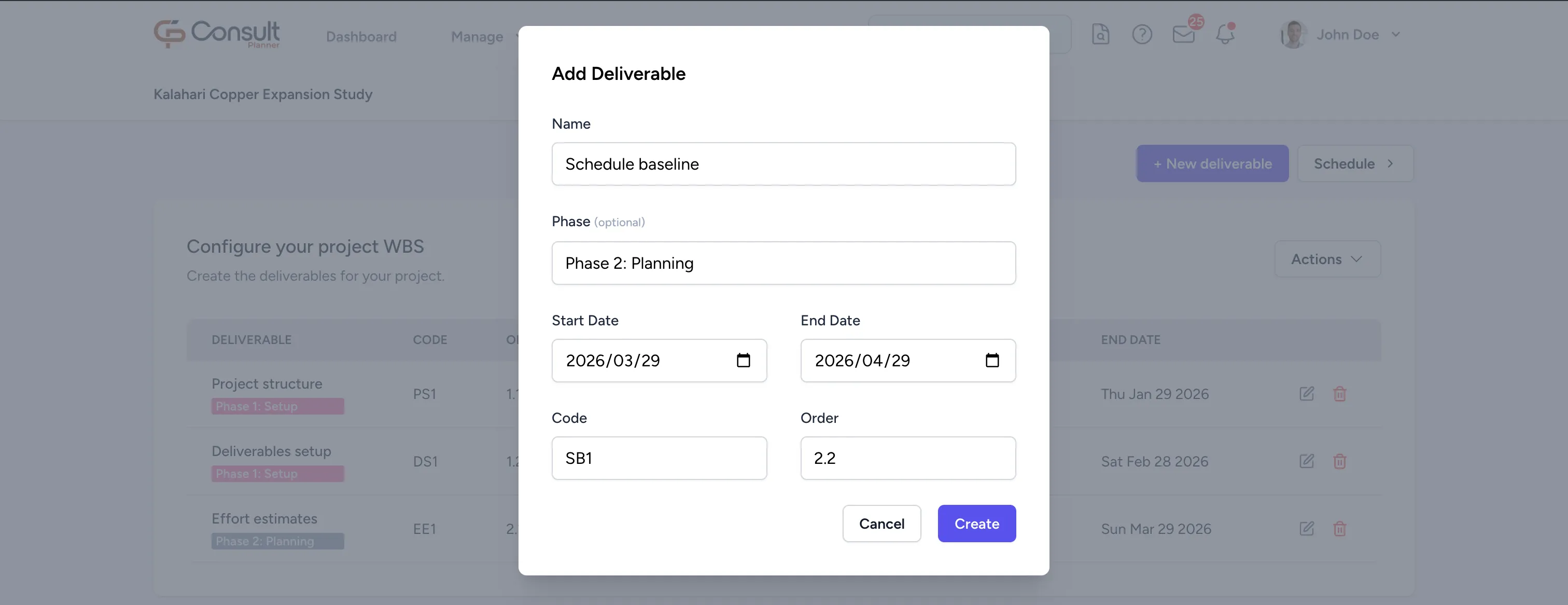
-
-
Click Create. These values map to the timesheet like this:
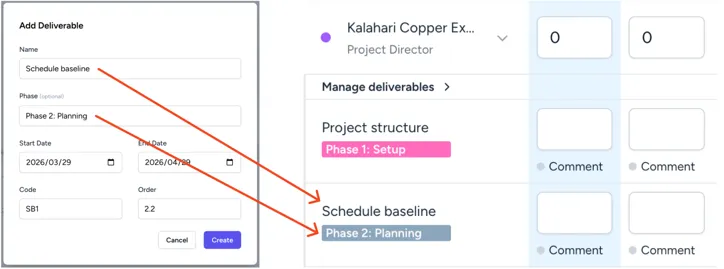
Once the deliverable is created, you can assign it to a resource on the project.
Assign deliverables to project resources
To assign deliverables to a resource:
-
From the deliverables view or project overview, click Schedule.
-
Under the resource, click Manage Deliverable.
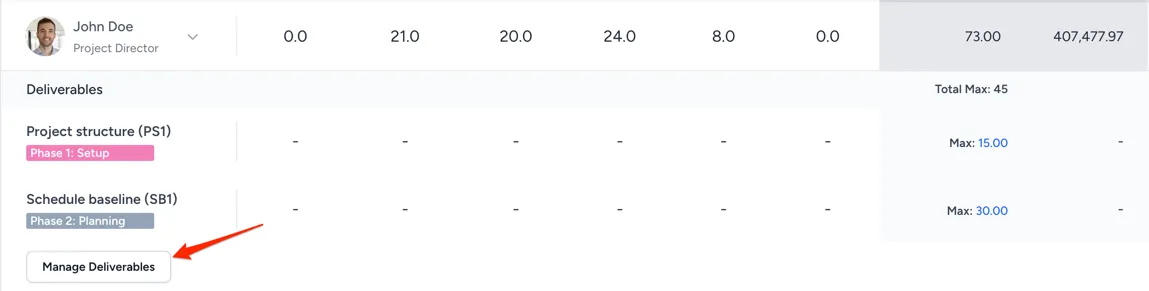
-
Select the deliverables from the dropdown.
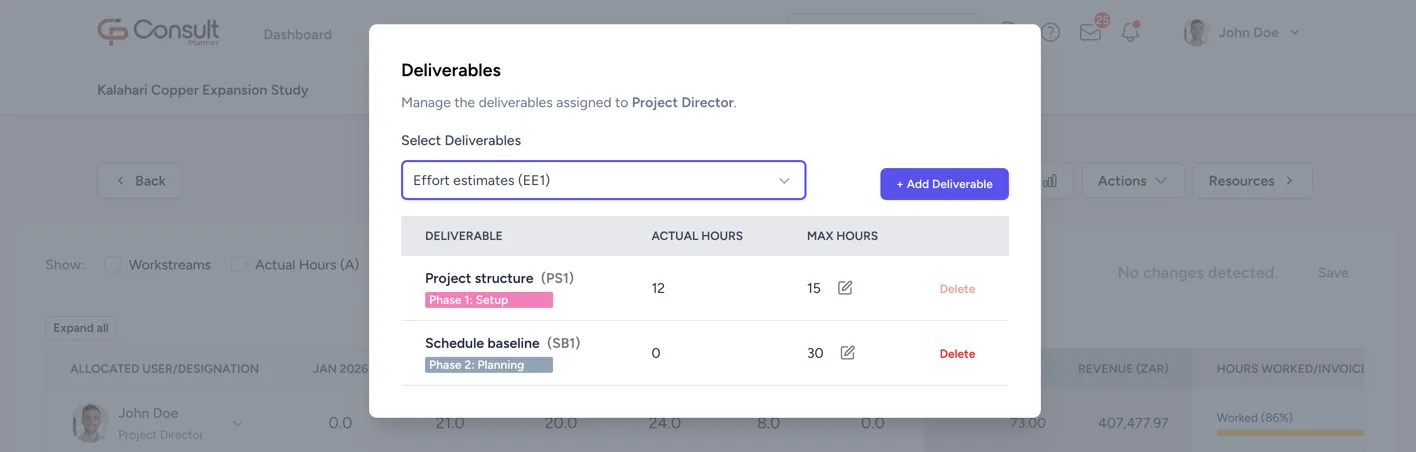
-
Click Add Deliverable.
Once the deliverables are added, you can set the maximum hours for each deliverable for that resource. This limits the number of hours the resource can log against those deliverables.
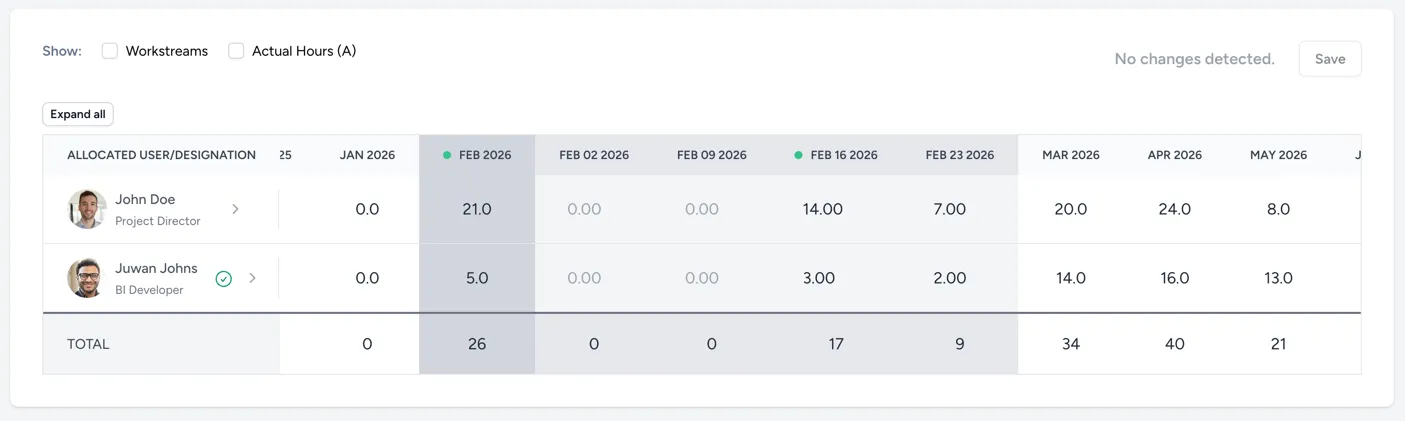
You can also schedule hours for the user in the schedule view: